How to Fix iPhone Hotspot Not Working with Mac
iPhone hotspot connecting to Mac but not getting internet connection? Here's how to fix the iPhone hotspot not working with Mac problem.
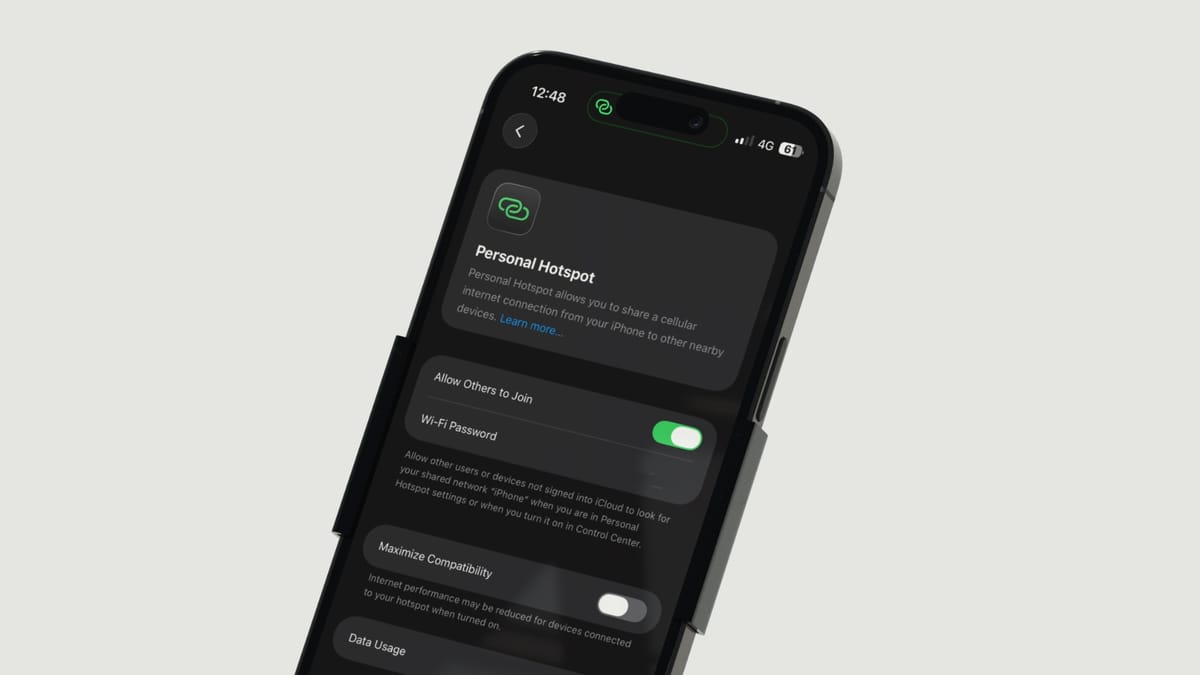
For a company that focuses on the “it just works” aspect of its devices, I certainly had a lot of troubleshooting to do to get the iPhone Hotspot working with my Mac. The iPhone hotspot was connecting to my Mac with no issues, but I was not getting any internet access.
After spending countless hours trying to fix this error, I discovered three methods that seem to work for most people. Method number three solved my issues. If you are also facing the iPhone hotspot connecting with no internet error, here’s how to fix it.
Method 1: The TCP/IP method
The first solution you should try is setting the IPv6 protocol in the TCP/IP settings to “Automatically.” To do this:
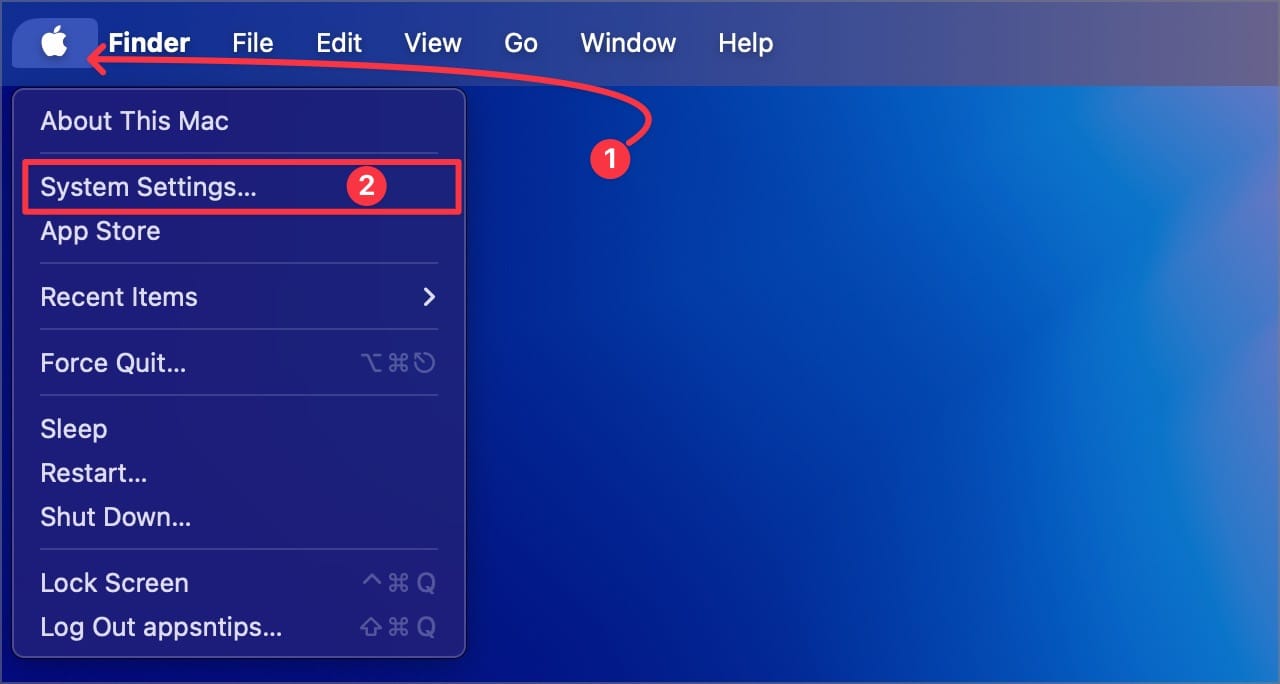
1. Use the Menu to open the System Settings app
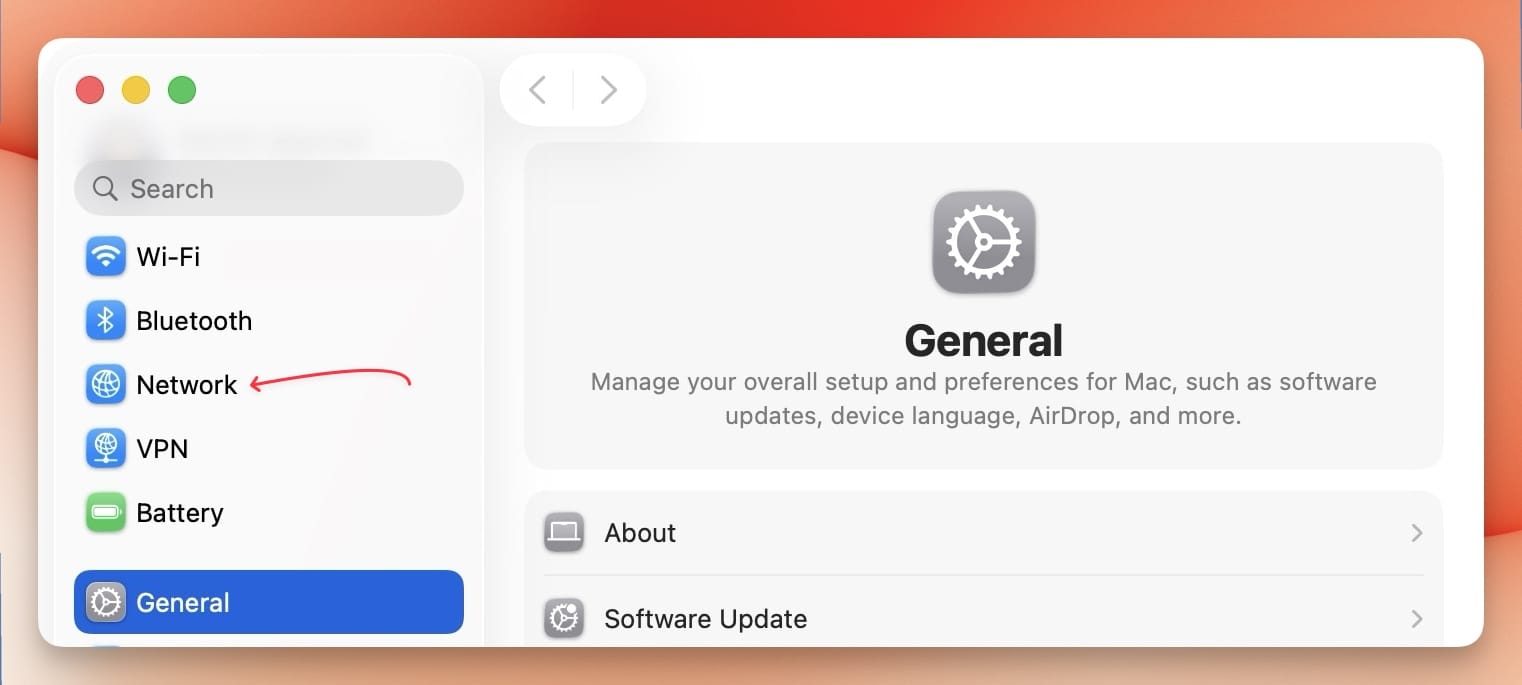
2. Click to open the Network settings.
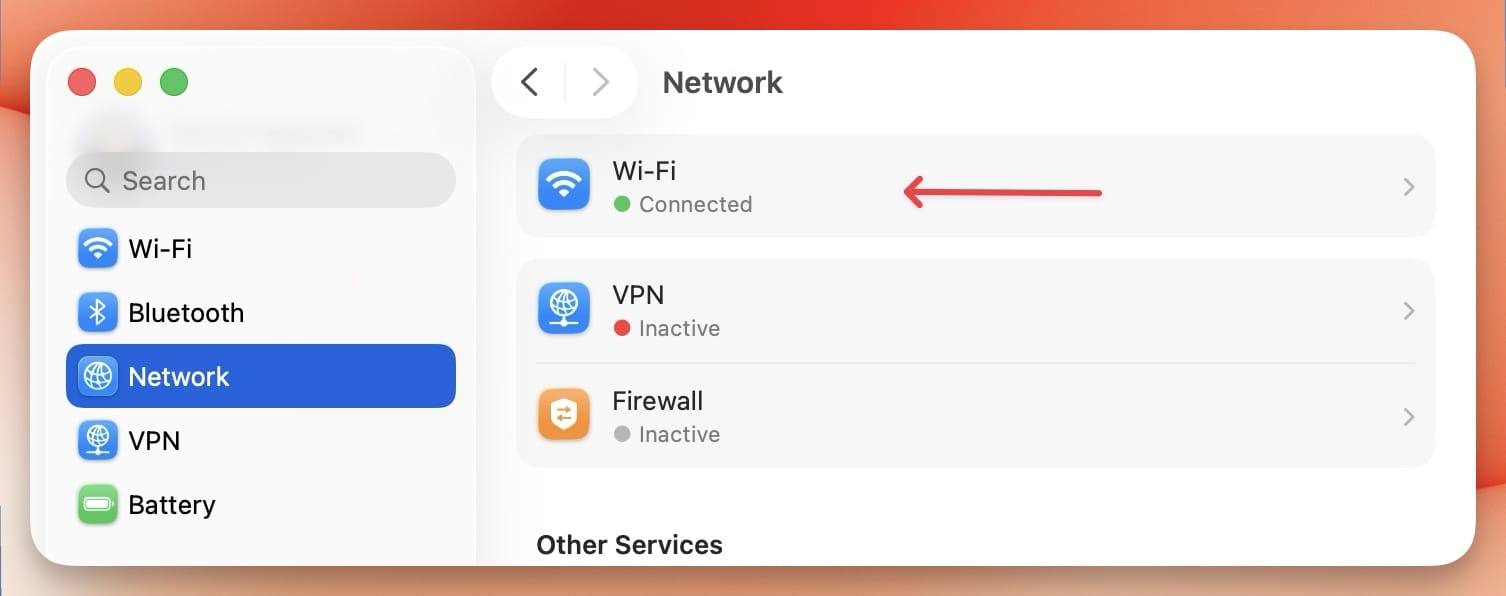
3. Now, click the Wi-Fi option.
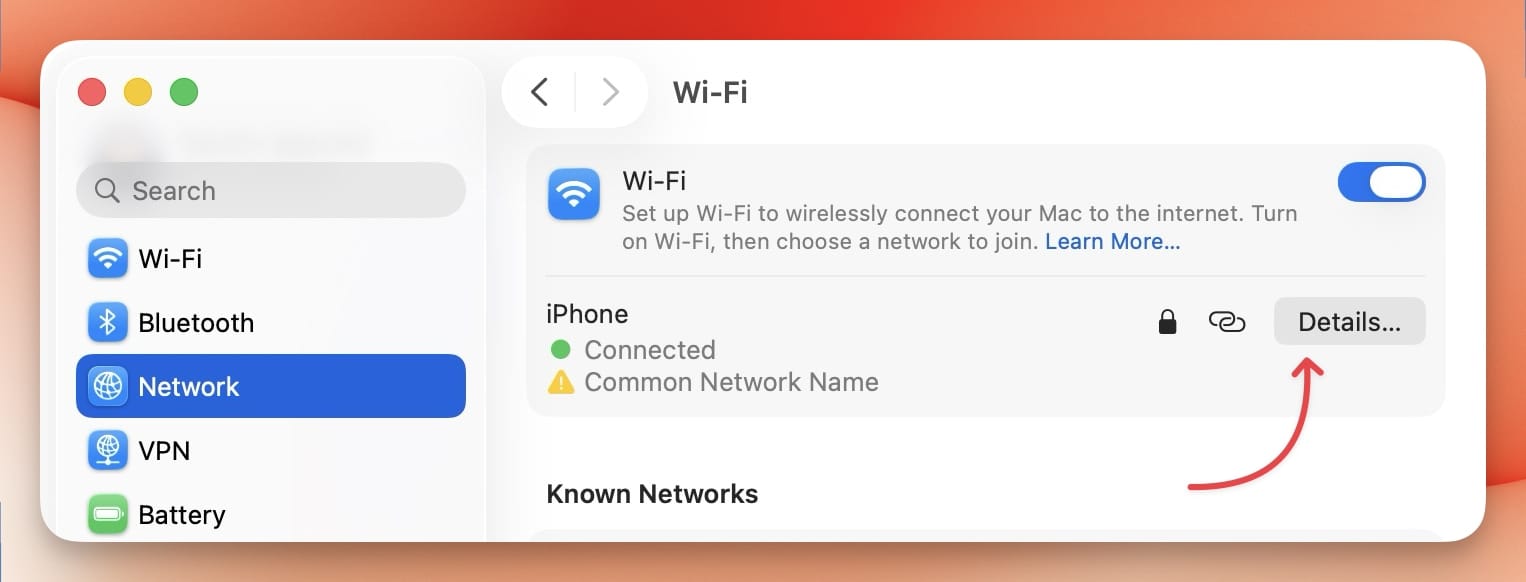
4. Click on the Details.. button to open hotspot settings.
5. Click on TCP/IP and ensure that “Configure IPv6” option is set to Automatically.
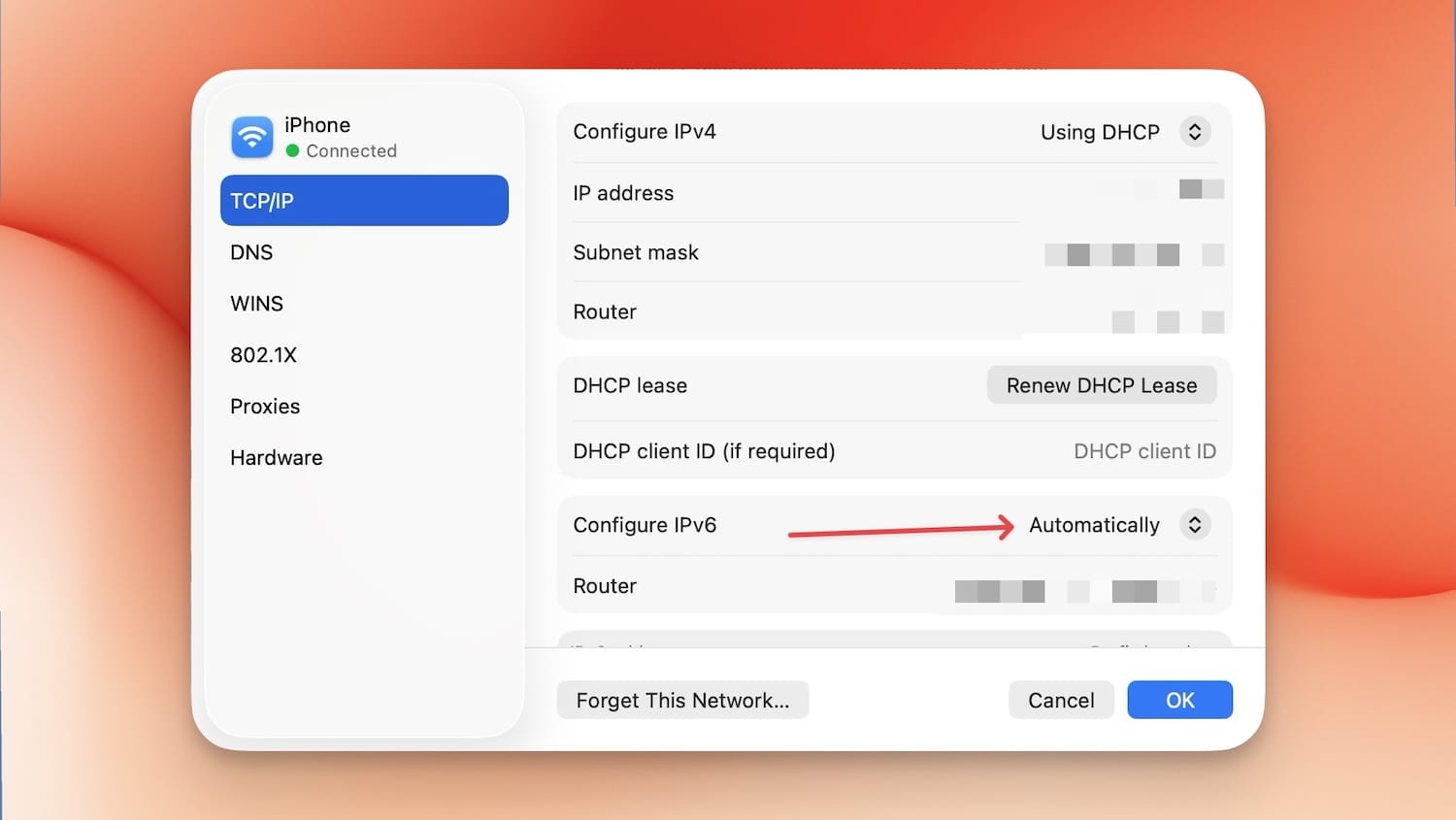
See if that fixes your internet issues. If it doesn’t move on to method two.
Method 2: Set Wi-Fi at the top of the service order
1. In the Network settings, click to open the three-dot menu. Now, click on the Set Service Order… option.
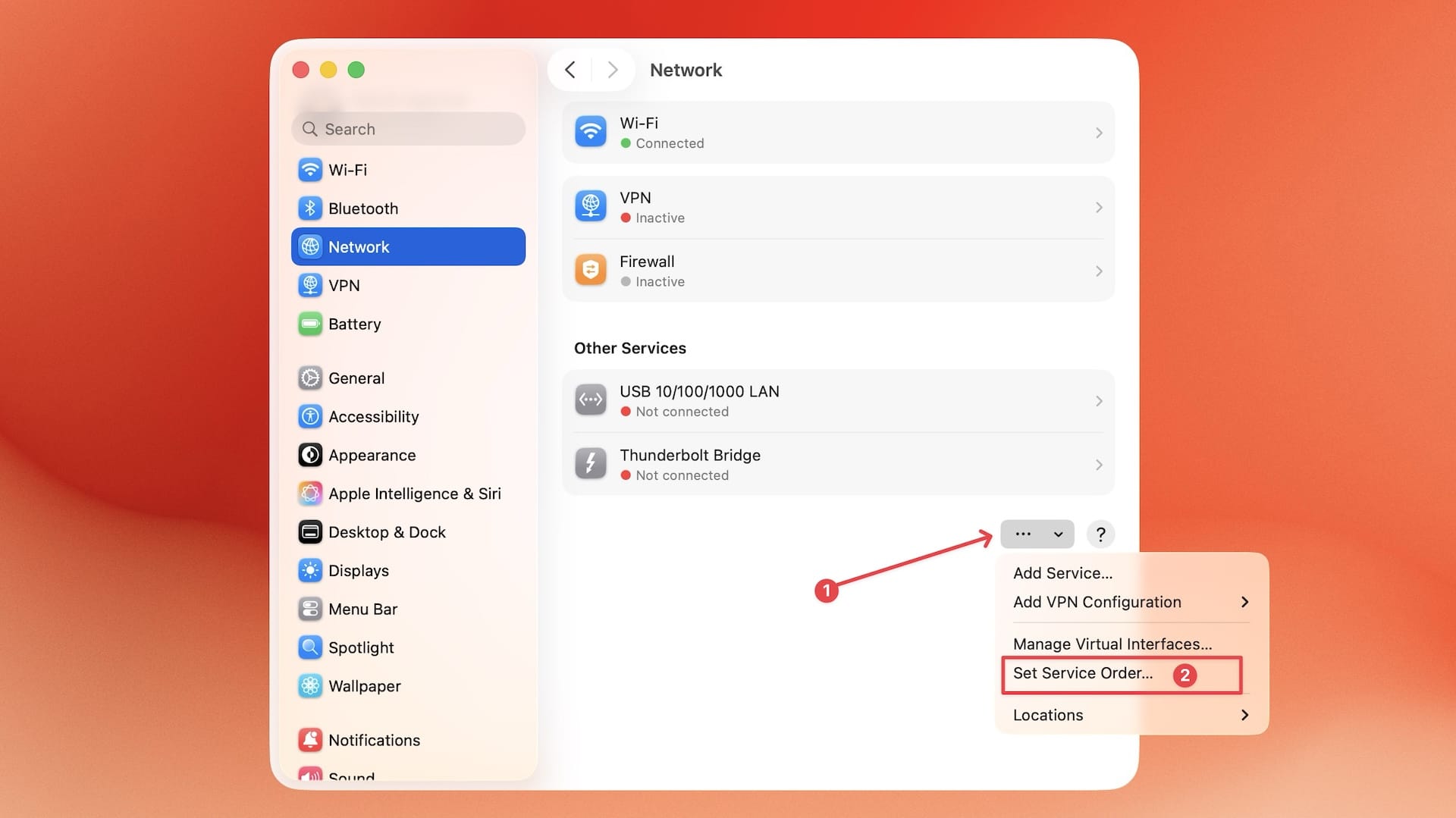
2. Click and drag the Wi-Fi to the top of the list.
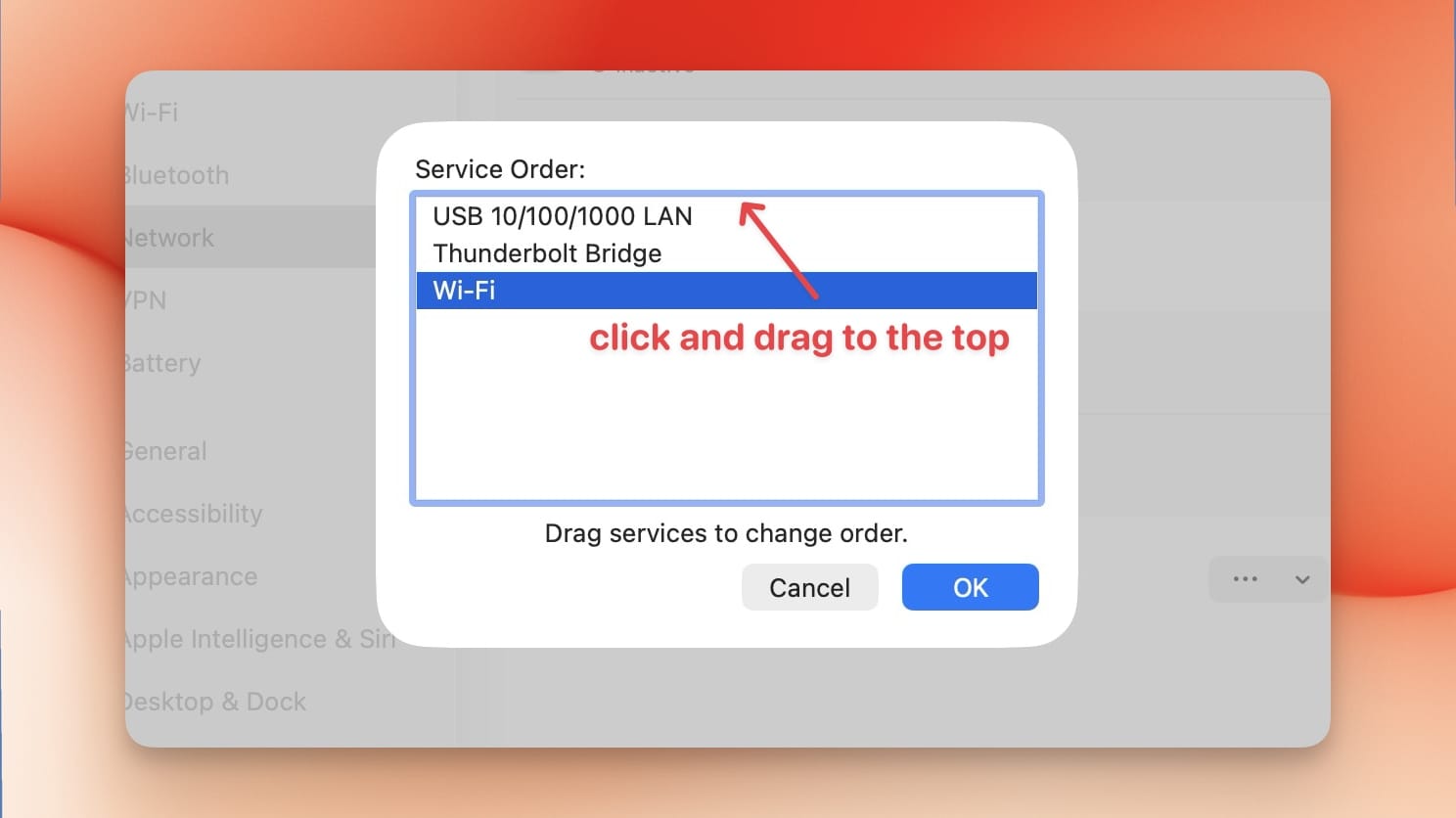
If this still doesn’t fix your internet connection issues, as it didn’t for me, move on to the third method.
Method 3: Remove and re-add Wi-Fi
This is the method that worked for me, and it’s pretty easy to execute. In the Network settings:
1. Right-click or control-click on Wi-Fi and use the Delete Service… button to delete it.
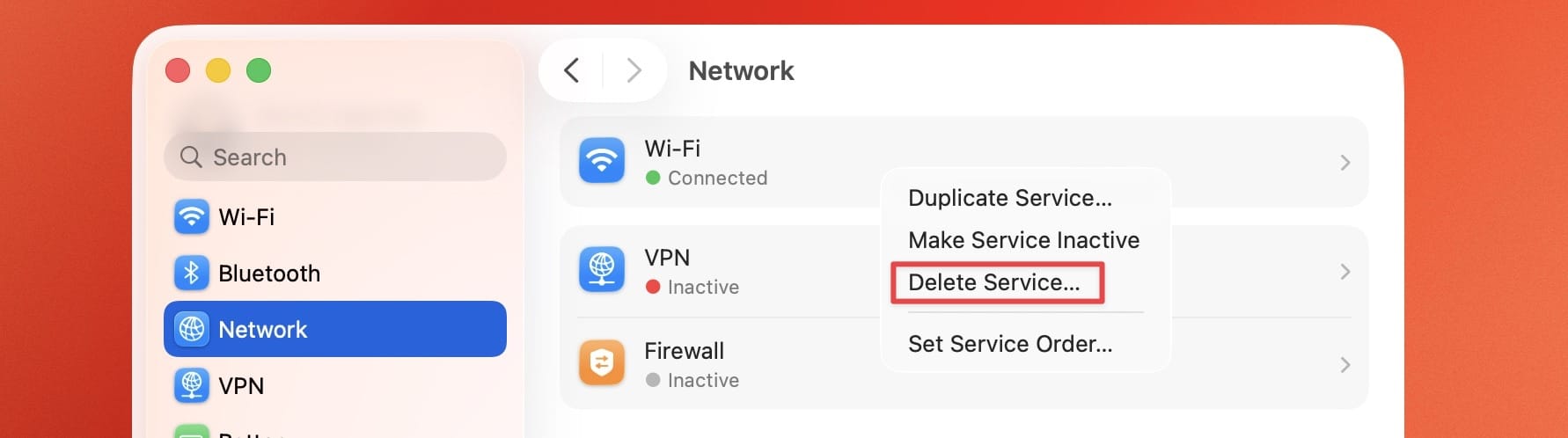
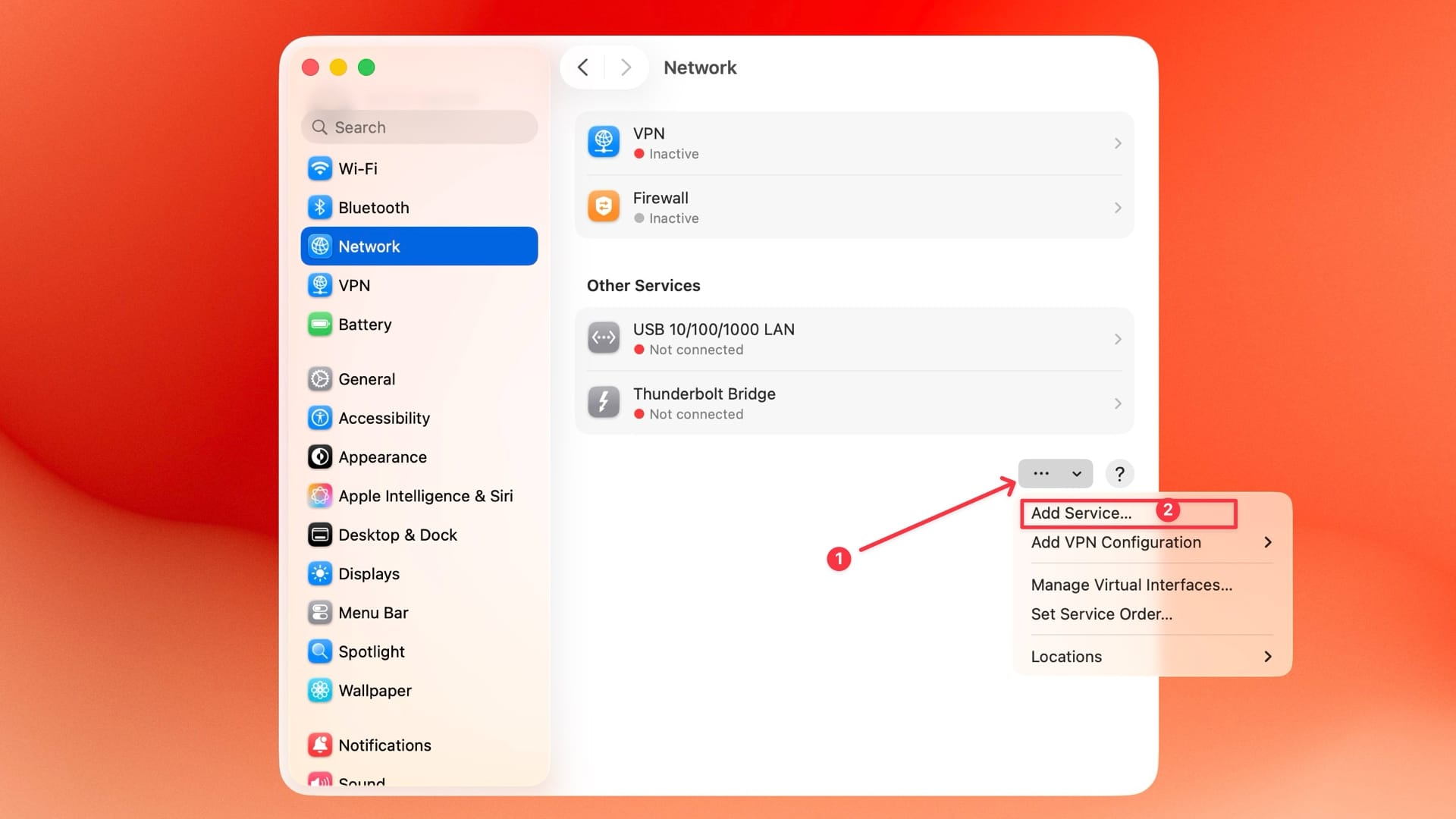
2. Now, open the three-dot menu at the bottom and click on the Add Service… button.
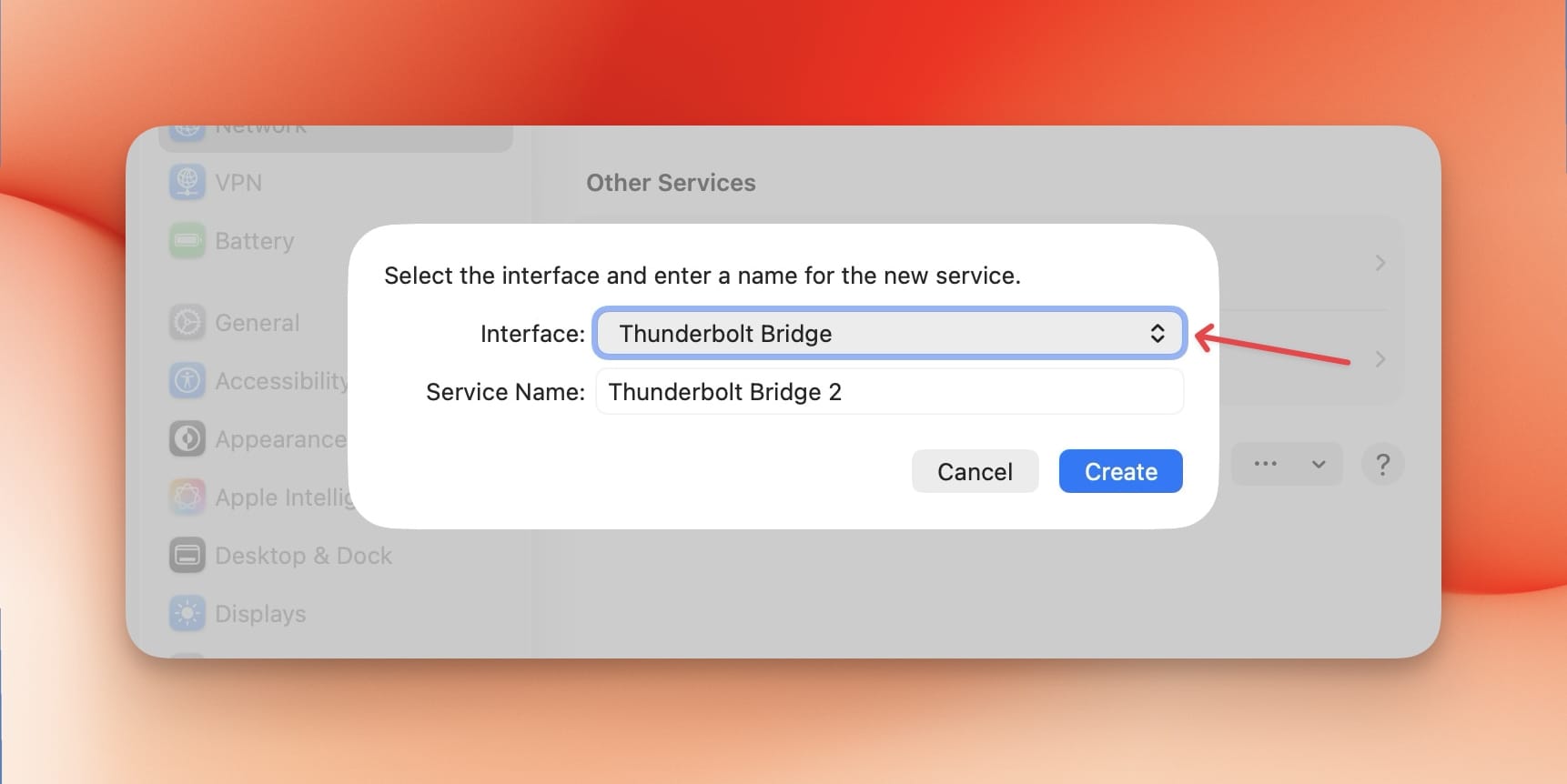
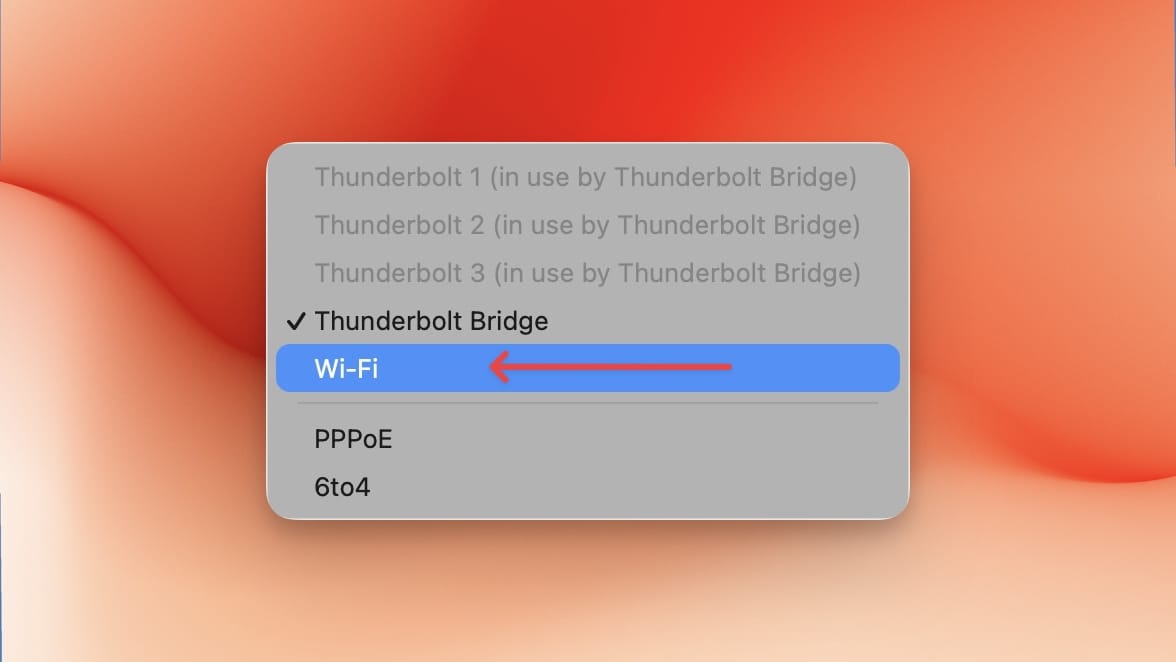
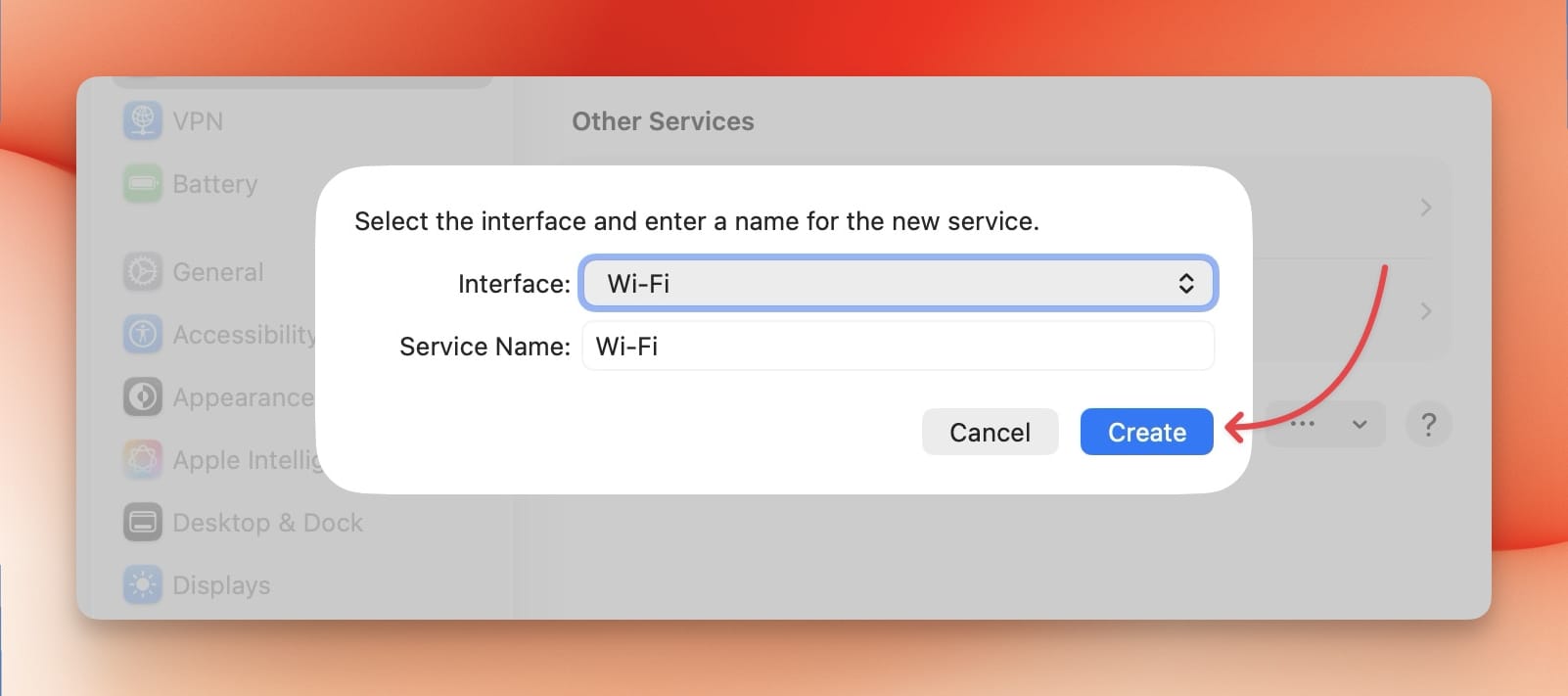
3. Select Wi-Fi from the dropdown menu and click the Create button to re-add the Wi-Fi services.
Finally, connect to your iPhone hotspot, and it should work.
Fixing iPhone hotspot connecting with no internet issue on Mac
Let me know which of these methods fixed your iPhone hotspot internet connection error. If none of them worked, leave a “didn’t work” comment, and I’ll try to find more solutions to this frustrating problem.