How to Instantly Open Any App’s Settings on iPhone
Tired of digging through iPhone Settings? Learn how to make a shortcut to open app settings instantly and manage permissions faster on iOS.
Unlike Android that gives you access an App’s settings inside the app itself, iOS handles it differently.
The settings and permissions for any app are hosted inside the Settings app. If you don’t know how to access it, it might take a few seconds to hunt it down.
Today, I will show you how to create a shortcut to instantly open an app’s settings on iPhone with just one tap.
Open an app’s settings using shortcut
The shortcut I am sharing today is one of the best iPhone shortcuts. It solves an issue and saves you time. So, let’s create it step by step:
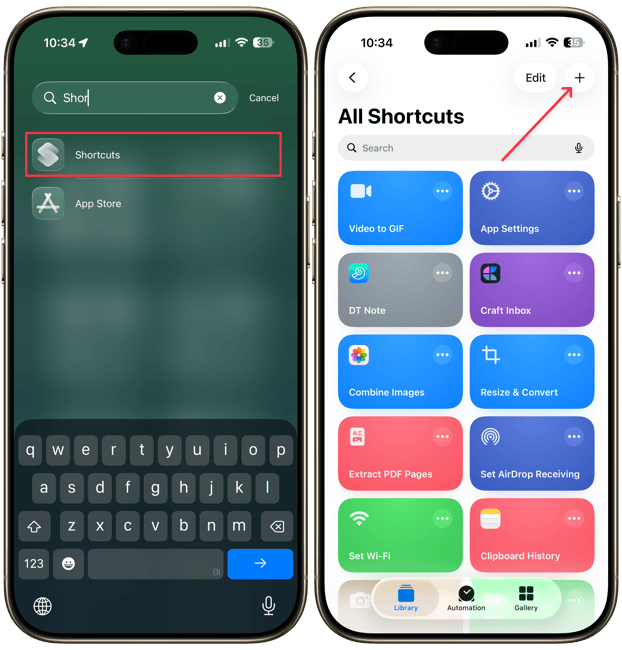
1. Launch the Shortcuts app on your iPhone and tap the plus (+) button in the top-right corner.
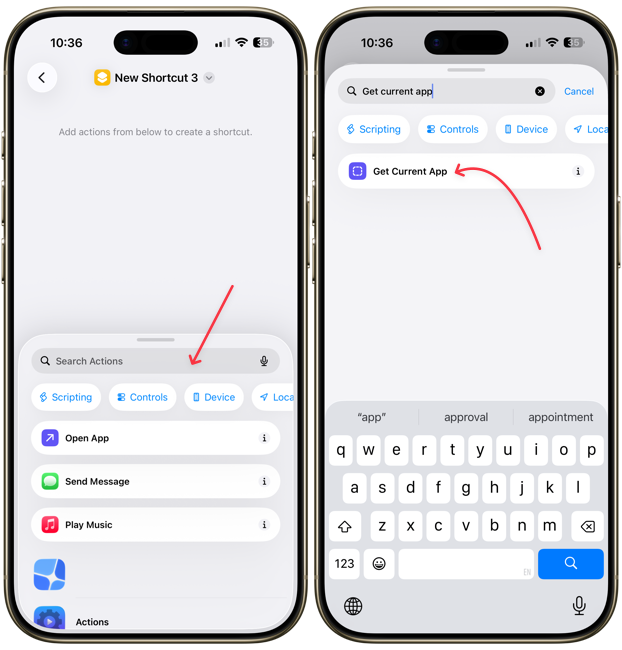
2. Tap on the search field and search for the Get Current App action. Tap to add it to the shortcut.
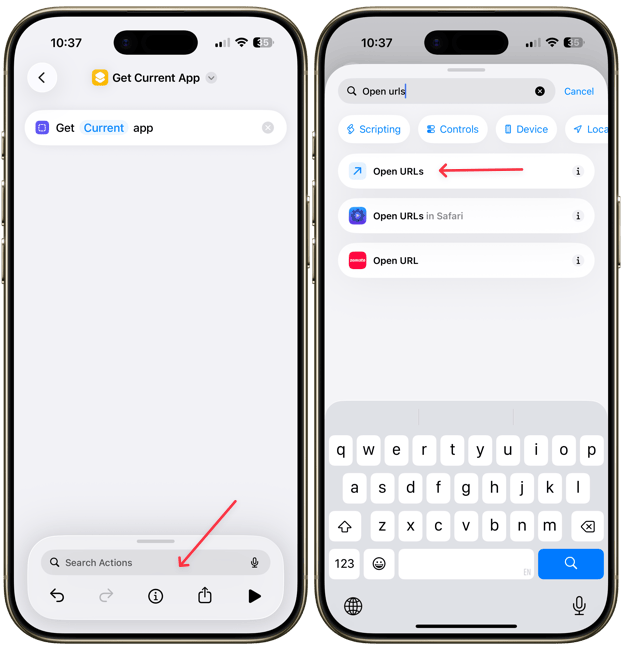
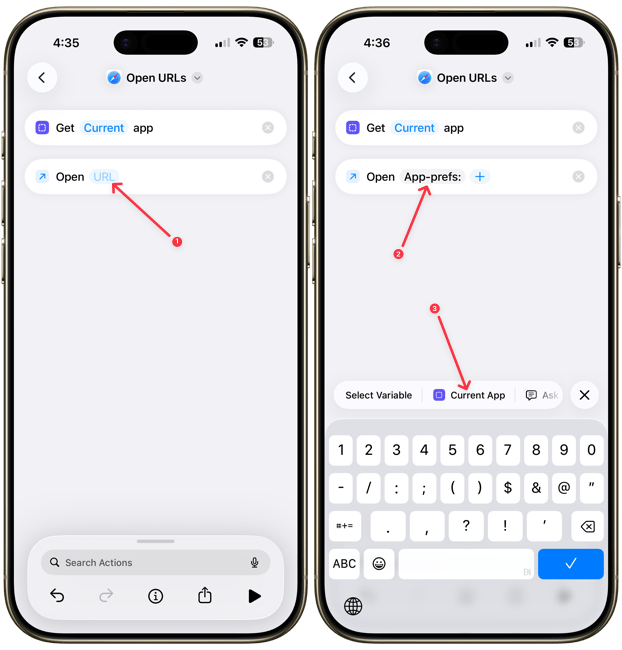
3. Now, search for the Open URLs action and tap to add it to the shortcut.
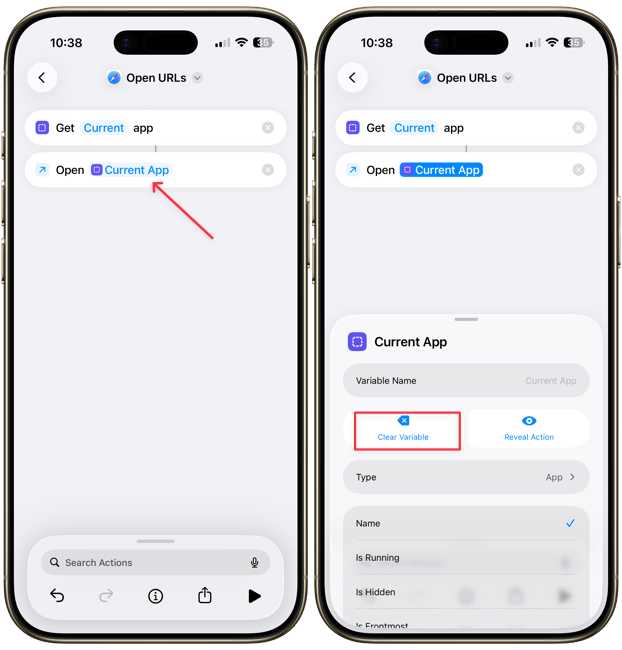
4. Tap on the Current App field and clear it.
5. Now, tap inside the field and type the following command. After the colon, tap on the Current App variable to add it to the url.
App-prefs:
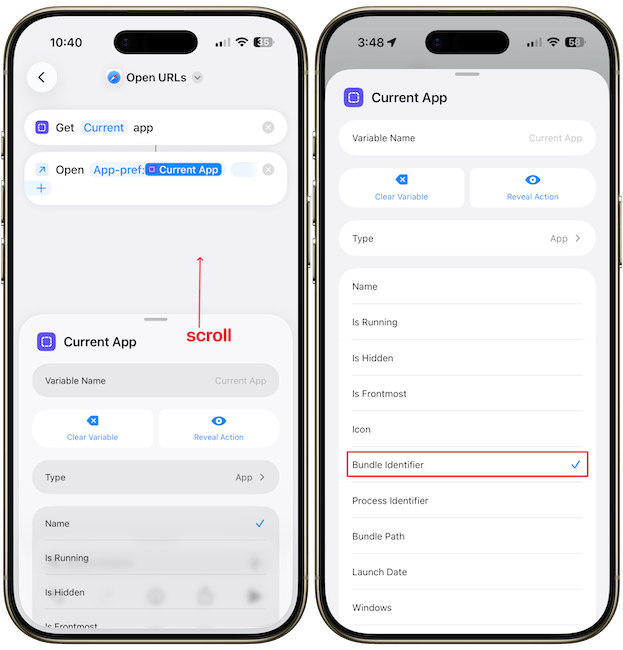
6. Scroll down the Current App variable and tap to select Bundle Identifier.
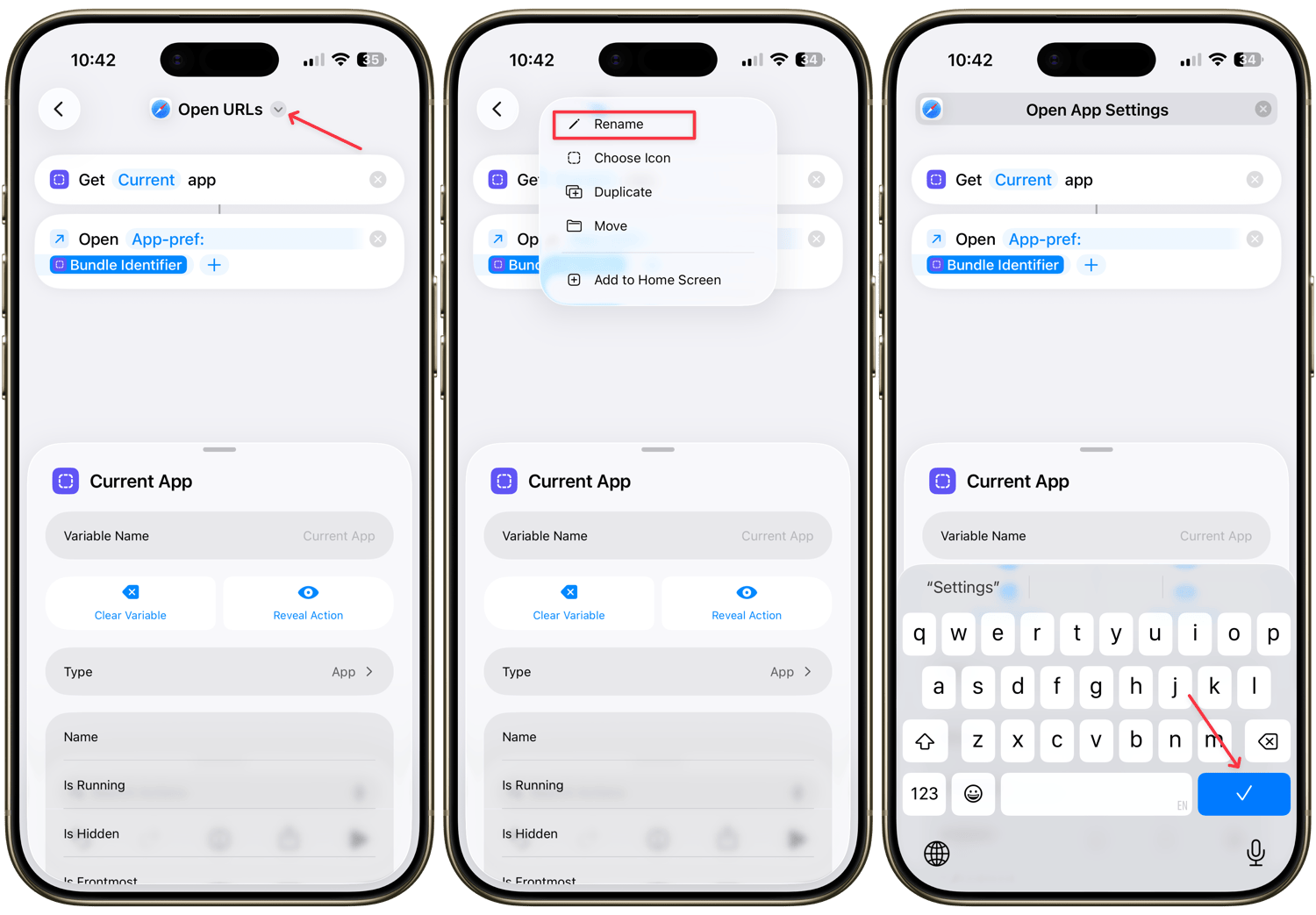
Our shortcut is now ready. Let’s give it a proper name and add it to our Control Center for quick access. To do that:
1. Tap the down arrow button and use the Rename action to give it a name.
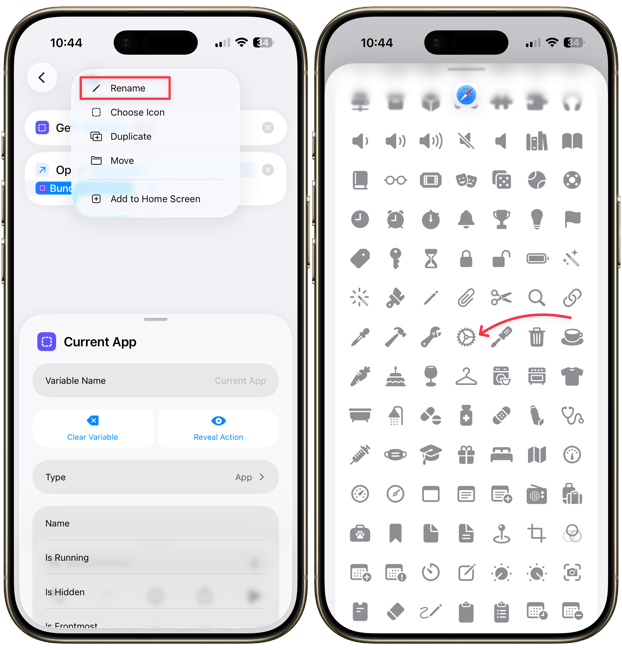
2. Tap the down arrow again and give it a proper icon. Since it opens settings, I will give it a settings icon.
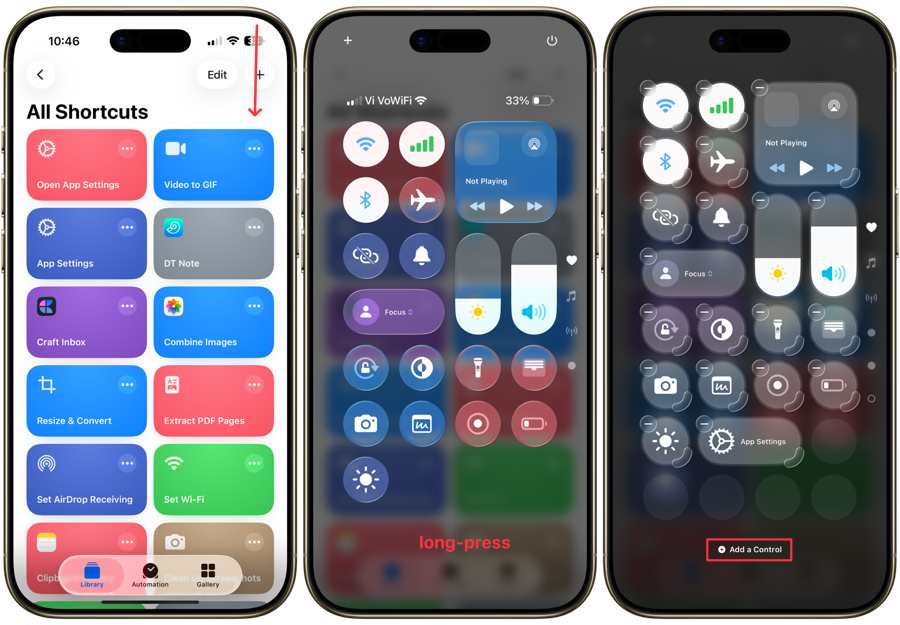
3. Swipe down from the top-right to open the Control Center and long-press anywhere to enter editing mode, and tap the Add a Control button.
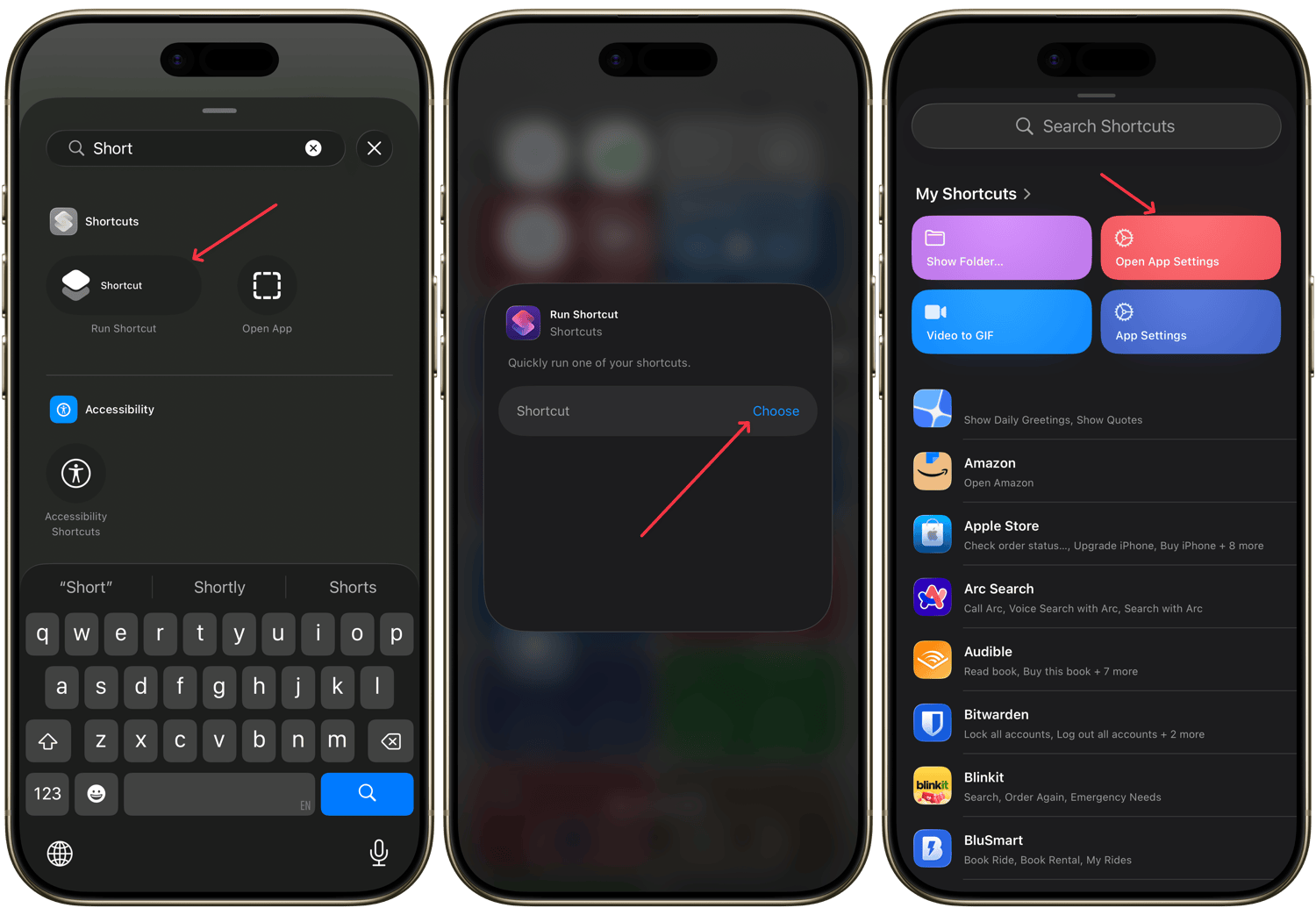
4. Search for the Run Shortcut action. Tap on the action then use the Choose button to select the shortcut we created.
We have done all the hard wok and are ready to reap the benefits.
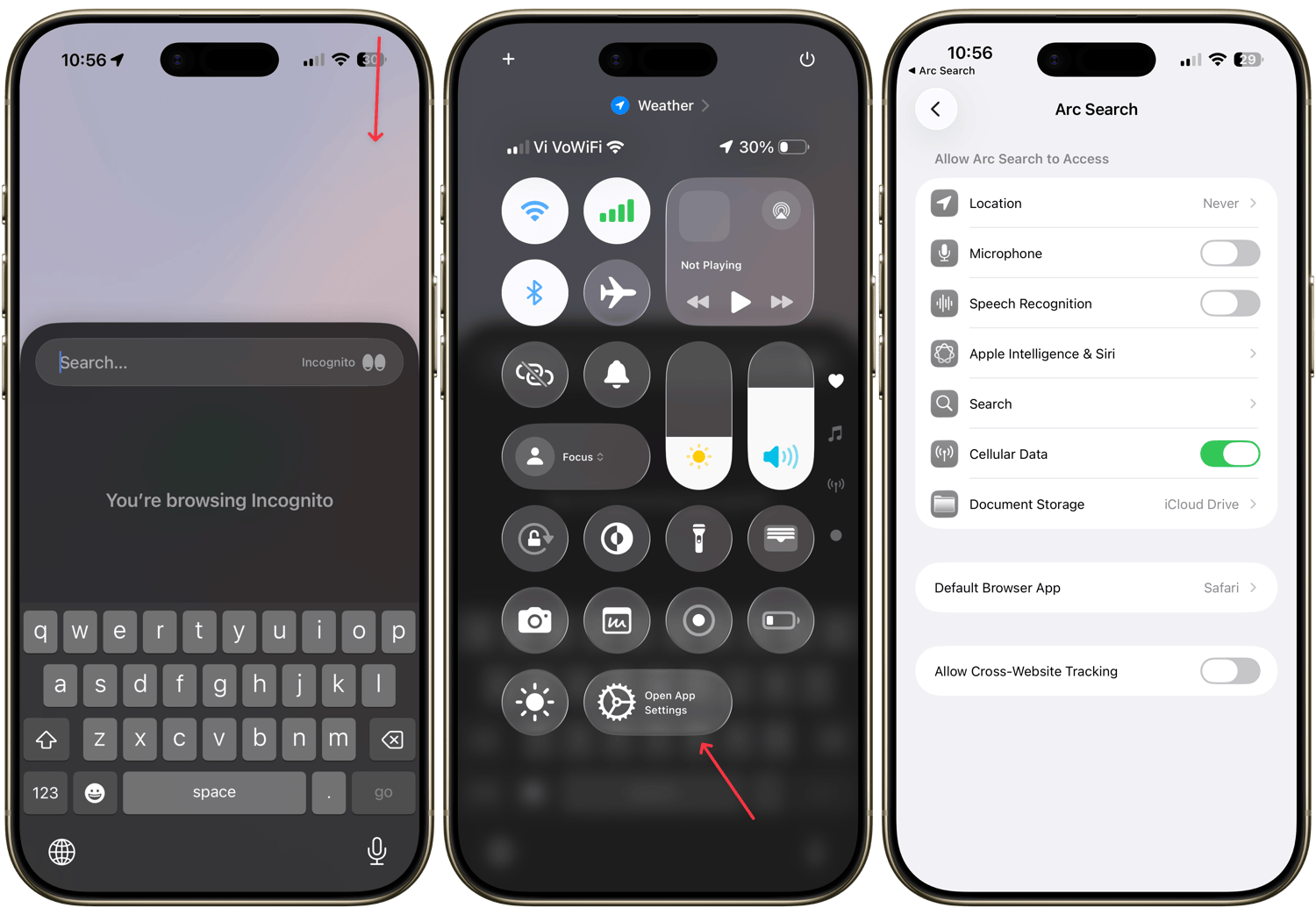
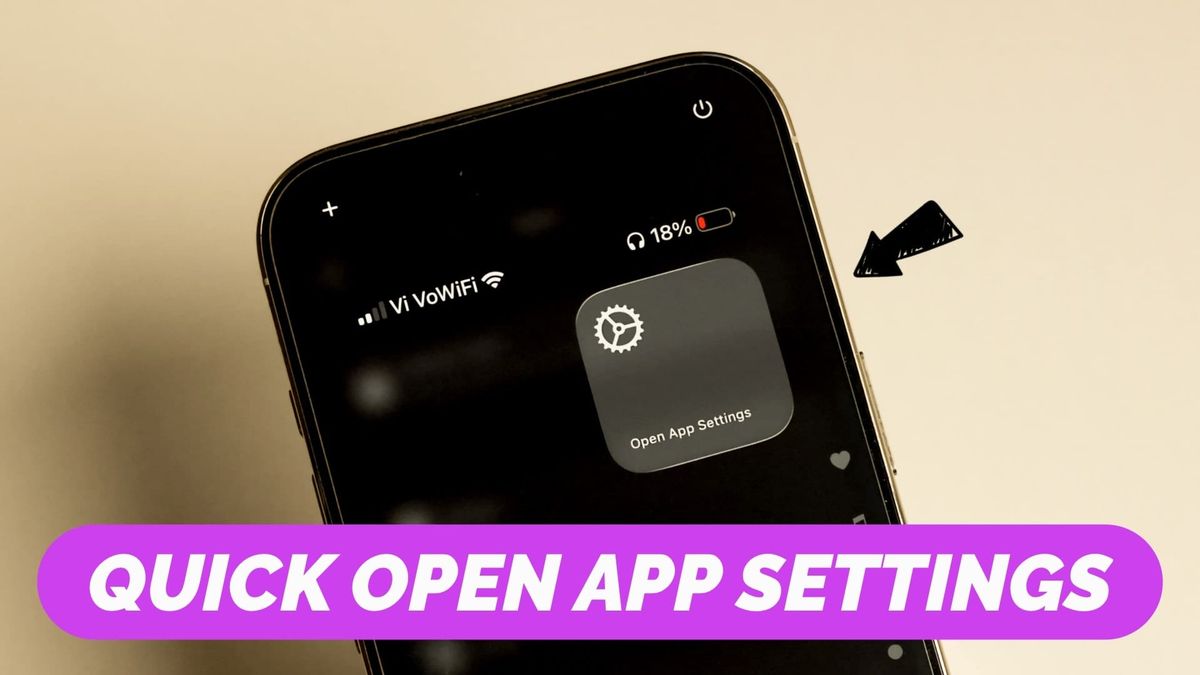
Launch any app you want to open the settings for, bring down the Control Center and hit the shortcut icon. It will automatically open that app’s settings.
Open app settings on iPhone with shortcut
If you enjoyed this nifty guide, click here to learn about the 5 hidden iPhone tips and tricks. It will help improve your iPhone experience.