How to Disable YouTube Shorts
Hate YouTube shorts? Here are two methods you can use to disable YouTube shorts and remove them from your feed.
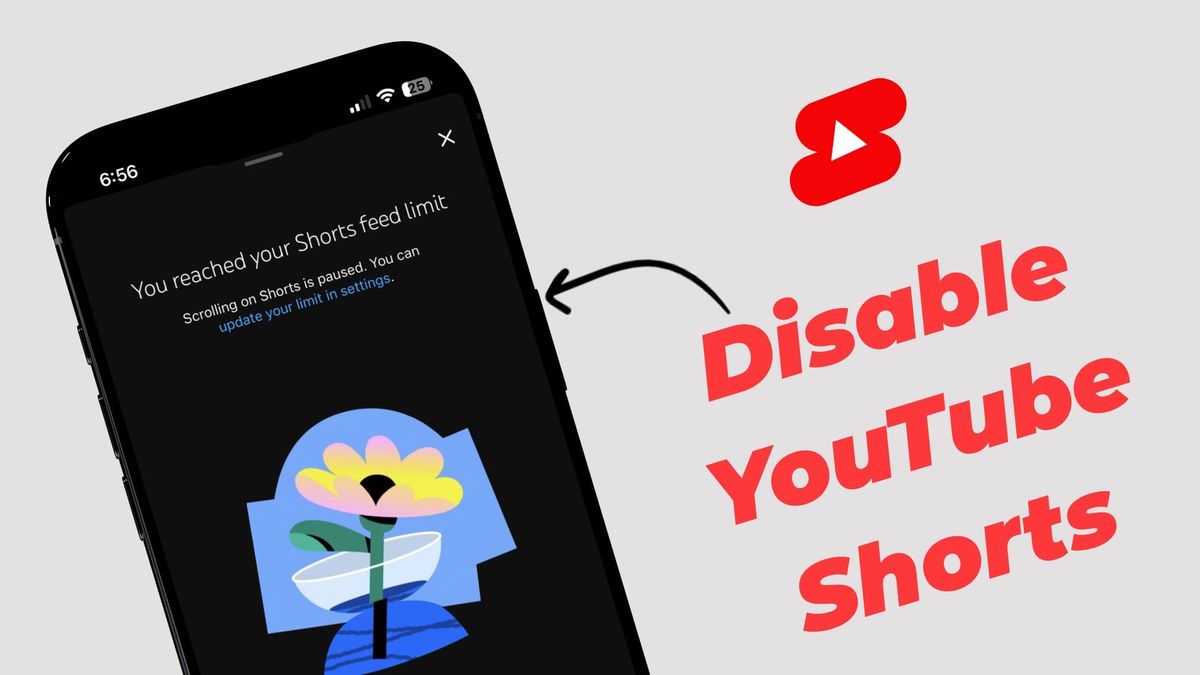
I hate YouTube shorts. It’s not because I abhor short videos. It’s just because YouTube Shorts is mostly filled with brain-rot content that does nothing but exasperate me. If it were up to me, I would remove the shorts access from the YouTube app entirely.
But since we cannot do that, we can try the next best option: disable YouTube Shorts. If you also don’t like watching short-form content on YouTube, there are two methods you can use to turn it off on your iPhone or Android.
Turn off YouTube shorts using the shorts feed limit
The steps to disable YouTube Shorts are simple. To do this:
1. Launch the YouTube app on your iPhone or Android and tap the profile icon in the bottom-right corner.
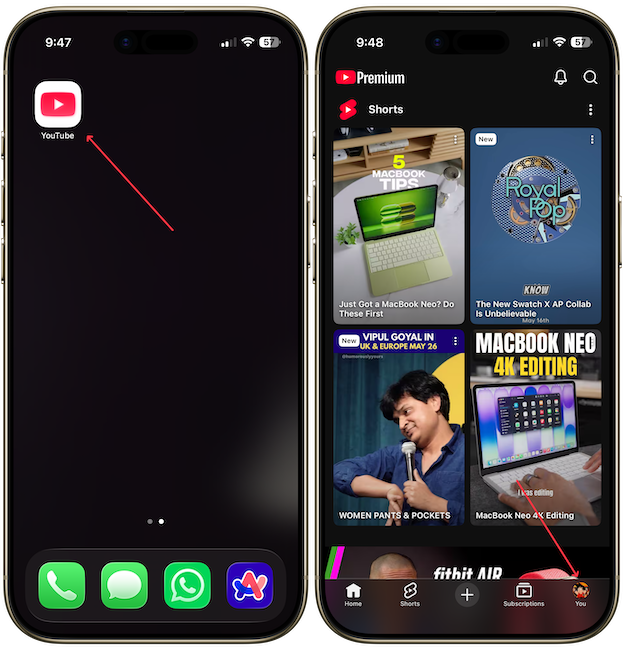
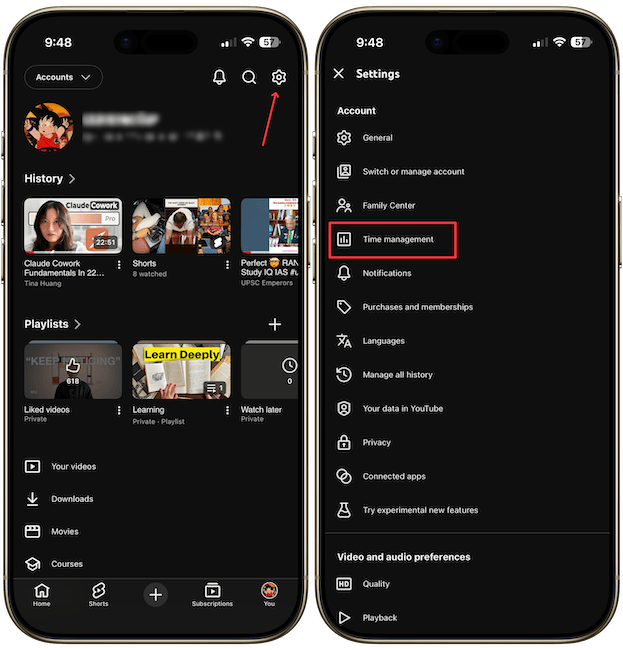
2. Tap the Settings button in the top-right and open the Time Management settings.
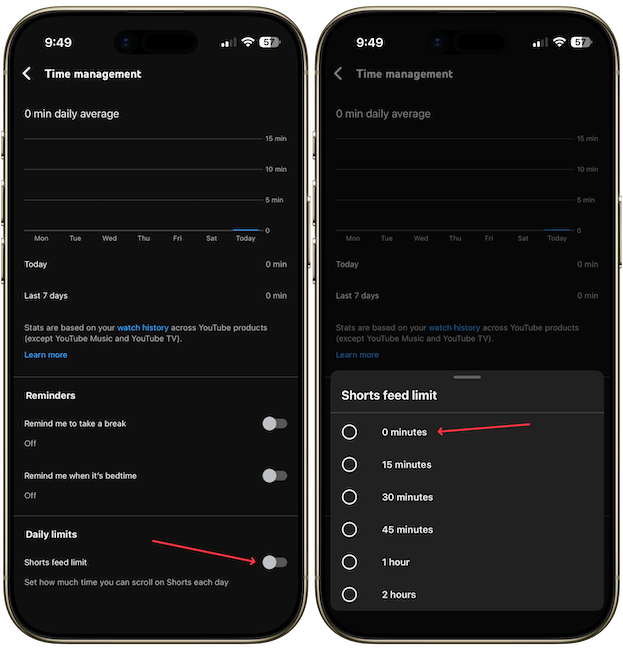
3. Turn on the toggle for shorts feed limit and choose the zero minute option.
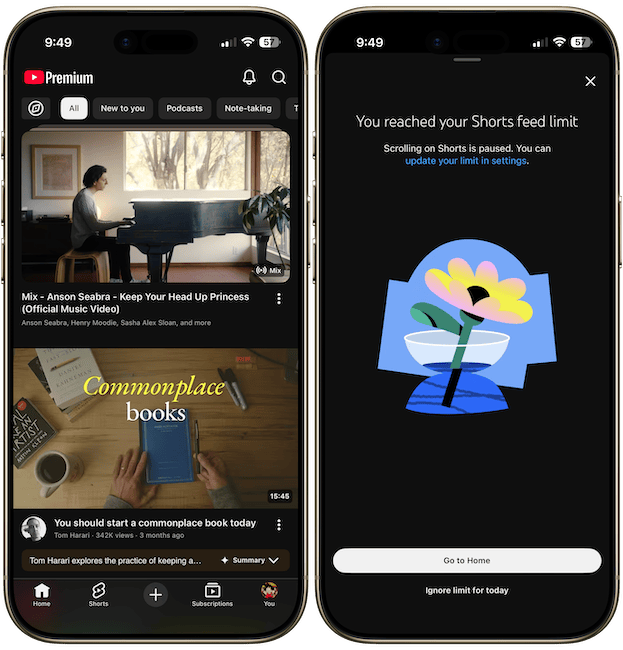
That’s it. You will now see that YouTube Shorts are removed from your Home tab. When you use the shorts tab to scroll, you will see a "Shorts feed limit reached" message.
Disable YouTube Shorts by turning off watch history
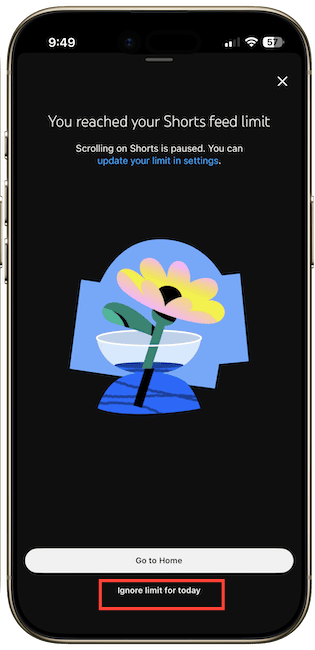
The issue with the first method is that you can easily tap the Ignore limit for today button to start scrolling.
If you want a more hardcore solution, something which I use, turn off your YouTube watch history. It will completely turn off the shorts feed. Here’s how you do it.
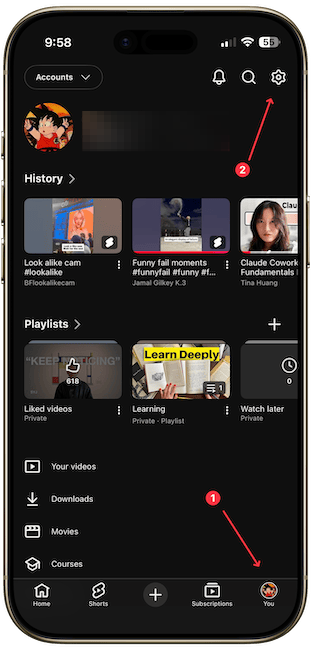
1. Tap on your profile icon and open the settings page.
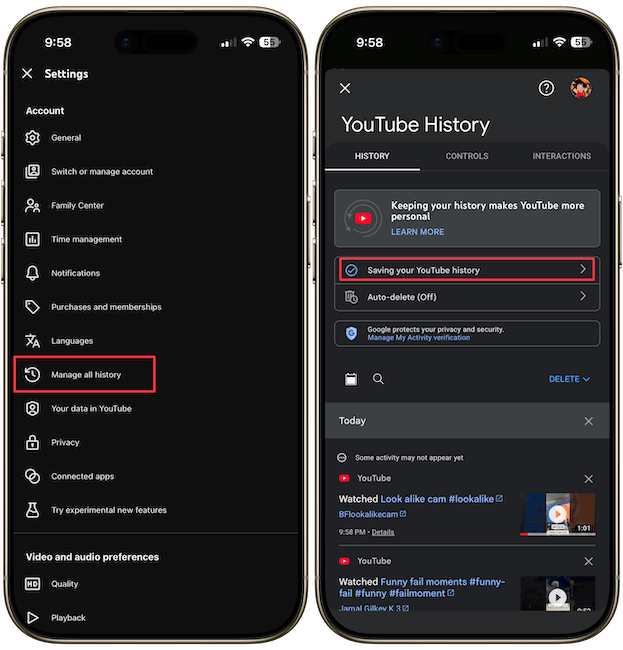
2. Open the Manage all history setting and then tap on Saving your YouTube history button.
3. Now, tap the Turn Off button to turn it off.
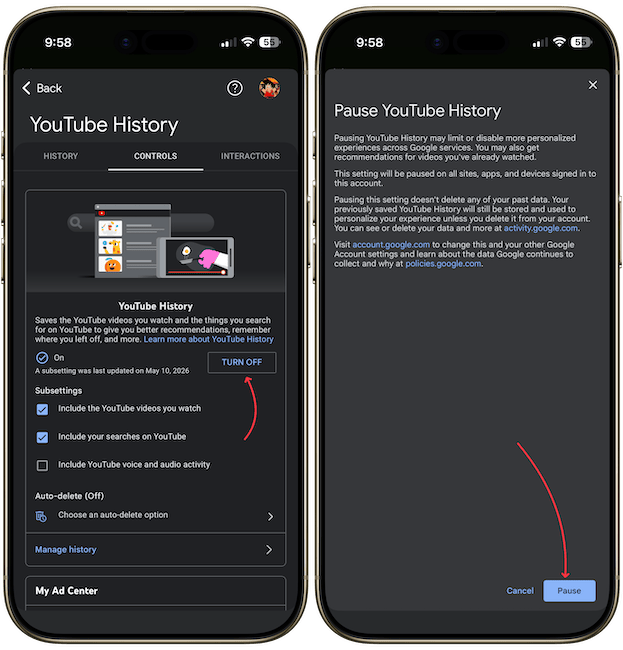
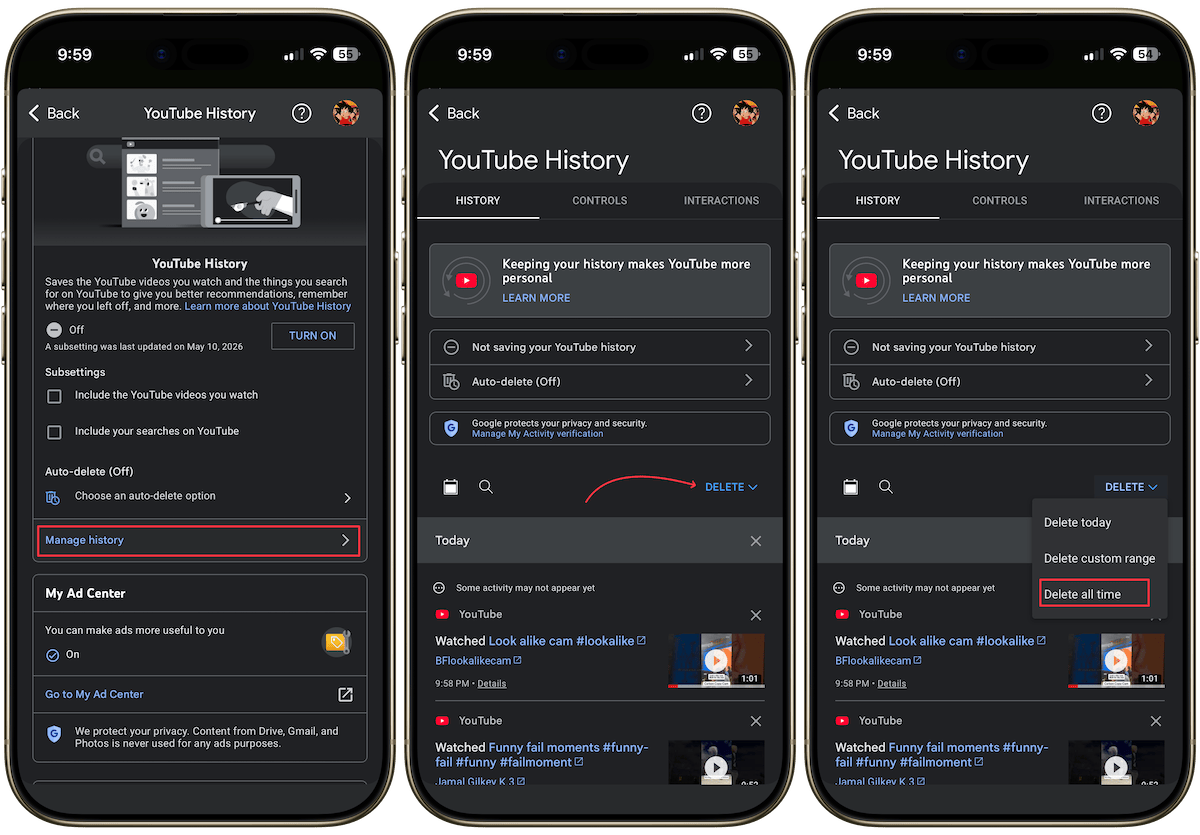
4. You might also need to delete your existing YouTube watch history. In the “Manage All History” tab, go to “Manage History,” tap the “Delete” button, and clear your entire history.
That’s it. Your YouTube app will no longer show any shorts. Turning off watch history automatically turns off YouTube recommendations. That means you will also not see any content on the home page.
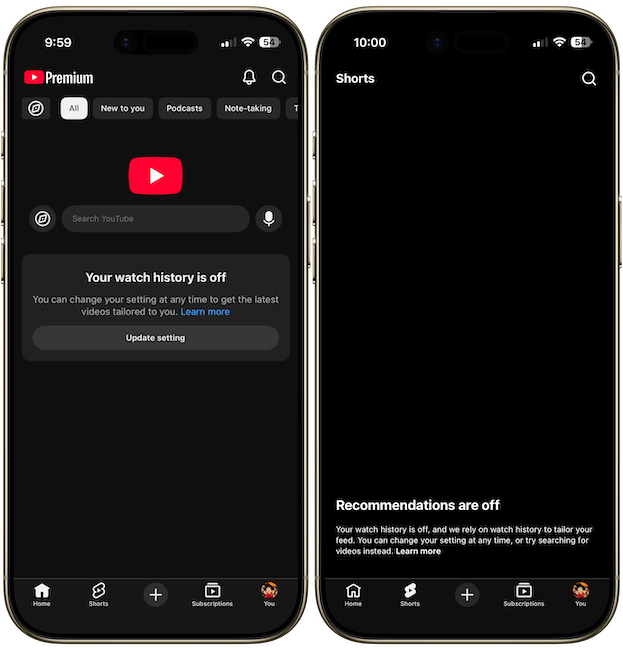
For me, it’s a blessing as I only want to consume the content from people I subscribe to. However, if you enjoy discovering and watching content on YouTube’s homepage, this might not be for you, so stick with the first method.