
The Safari Link Sharing Trick Every Mac User Needs to Know
Stop telling people "scroll down to the third paragraph" and just show them instead. This hidden Safari trick highlights the exact part you want them to read.

Safari has several hidden settings and features that will enhance your browsing experience. For example, you can use it to listen to articles, use profiles to separate your personal and work browsing, play YouTube in the background without a premium account, and so much more.
Today, I want to share a simple link-sharing trick that will change how you share links with someone. Imagine you are reading an article and want to share it with your friend and want them to focus on a specific part. You can copy and paste that part along with the link, or use this simple trick instead.
Share links using copy links with highlight
Safari has a hidden feature that lets you copy a link with a highlight, allowing you to share a link with a specific part highlighted. Here’s how you do it:
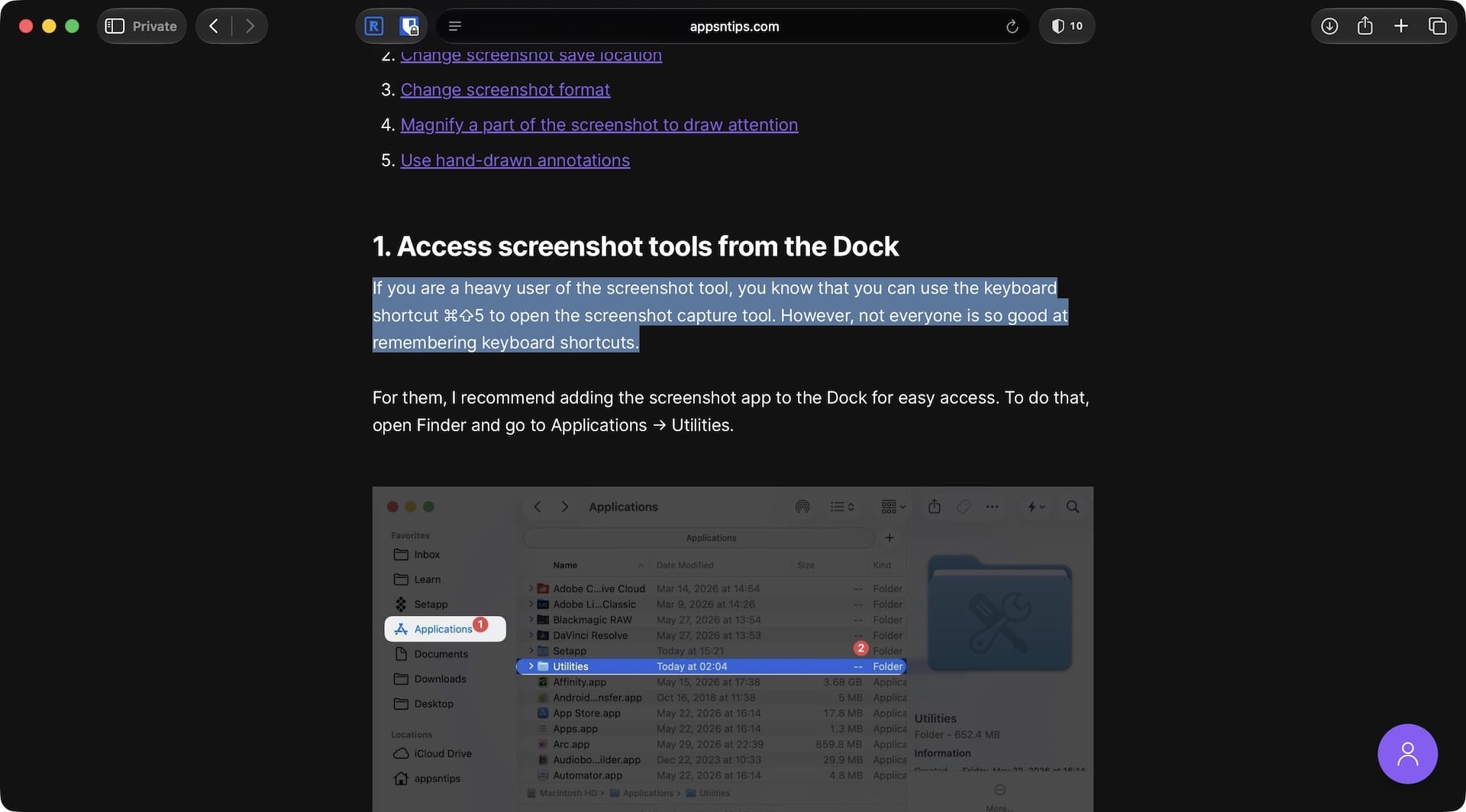
1. Open the article you want to share in Safari and scroll to the section you want to highlight and share. Now, click and drag to select the text you want to highlight.
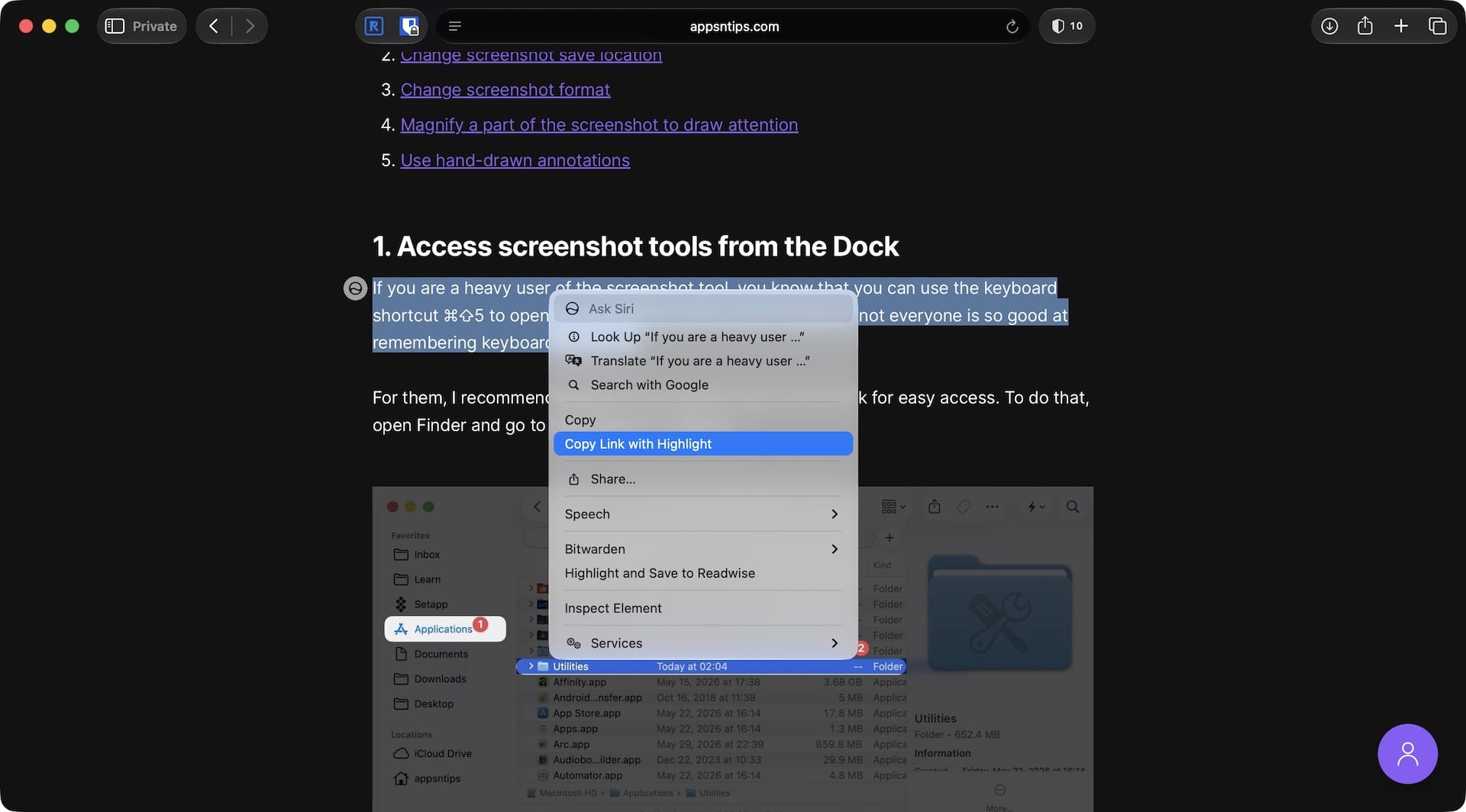
2. Right-click on the selected text and choose the “Copy Link with Highlight” option.
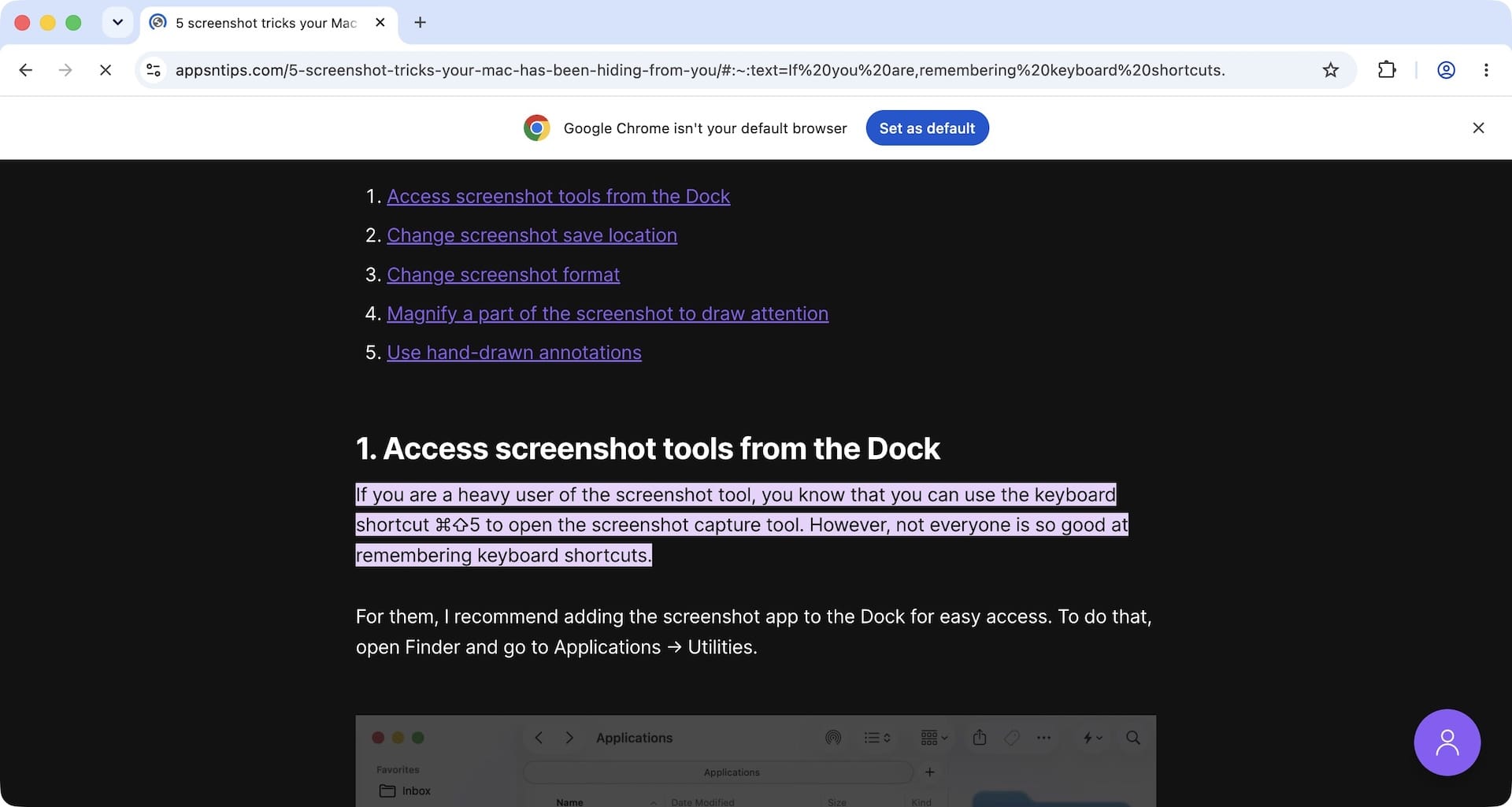
That’s it. You can now share this link with anyone, and as soon as they tap it, it will open directly to the highlighted part.
The best part is that they don’t need to use Safari. It works on any browser, so even if they have set a different default browser on their iPhone or Mac or use a Windows or Android device, it will work.
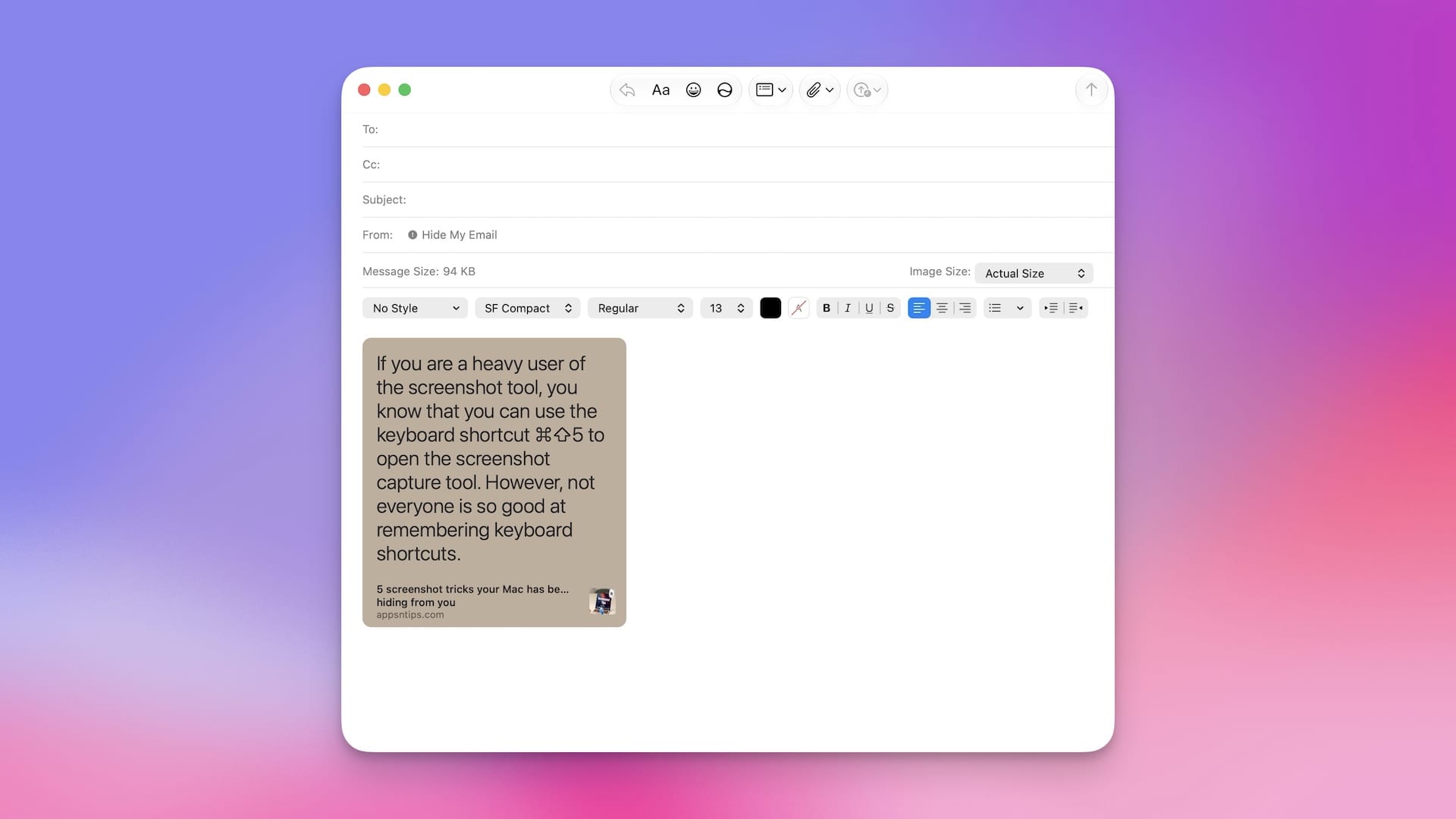
Another thing I like about this feature is that when you paste the link in Mail or Messages, it shows the excerpt you have copied, giving a preview of what you highlighted.
That’s it. That’s the small link-sharing tip I wanted to share today. If you already knew it, kudos. If not, now you have a good arsenal in your pocket to highlight the argument you are making when sharing a link with someone.