
How to Create a Table of Contents in Apple Notes
Your long, messy notes just got a whole lot easier to navigate.
Last week, I wrote about the three new Apple Notes features introduced with iOS 27 that I am enjoying using on my iPhone. One of those features was the ability to create a clickable table of contents.
Many of you asked about whether that feature exists on Mac, and the answer is yes. Apple added this feature with the macOS 27 Golden Gate update, which is currently in beta. Here’s how you can use this feature to create a table of contents in Apple Notes.
Creating a clickable table of contents in Apple Notes
Creating a clickable table of contents in Apple Notes is even easier on Mac than on iPhone. Here’s how you do it.
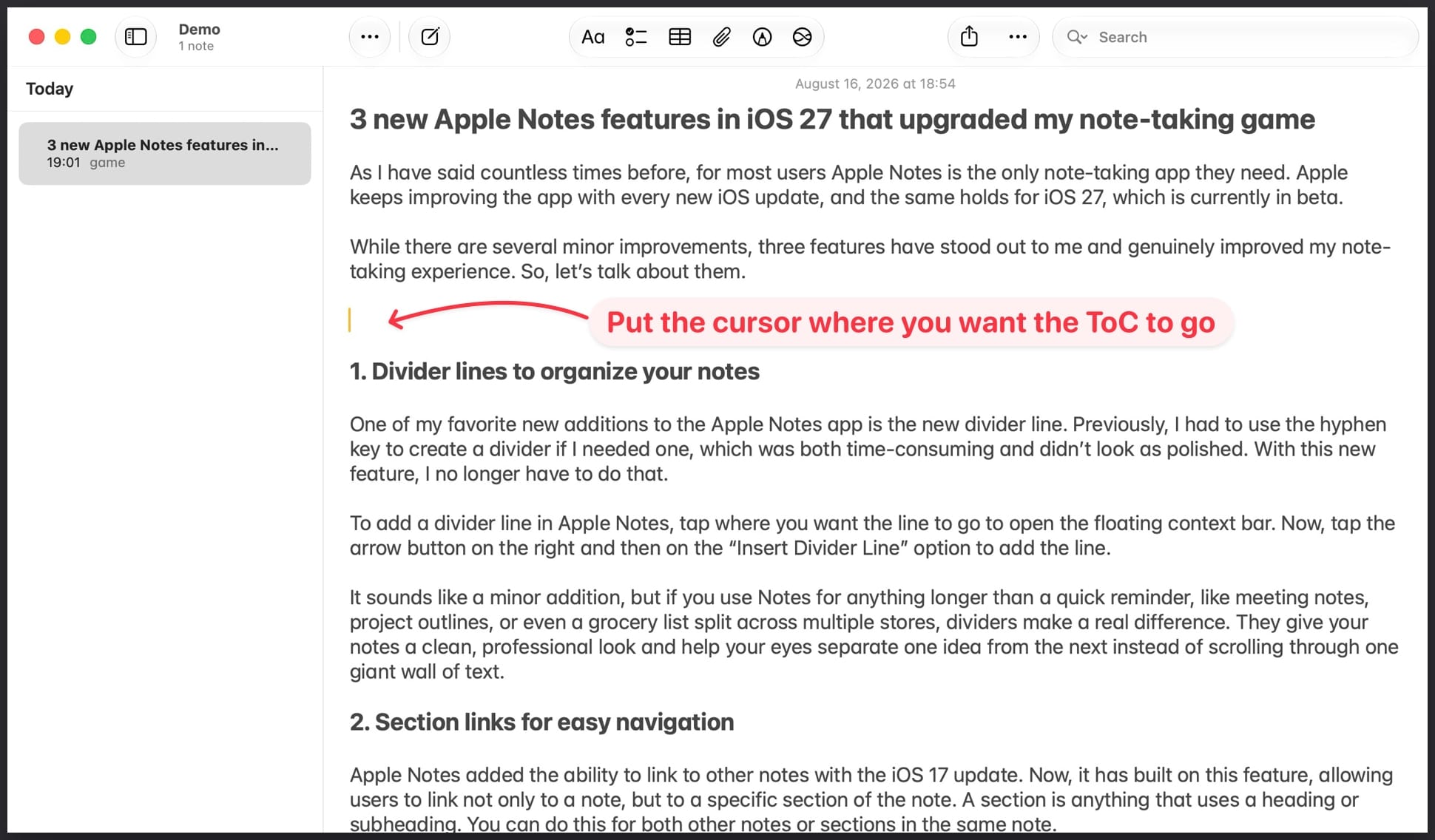
1. Open the note and place your cursor where you want the table of contents to go. Now, hit the keyboard shortcut Command+K (⌘K).
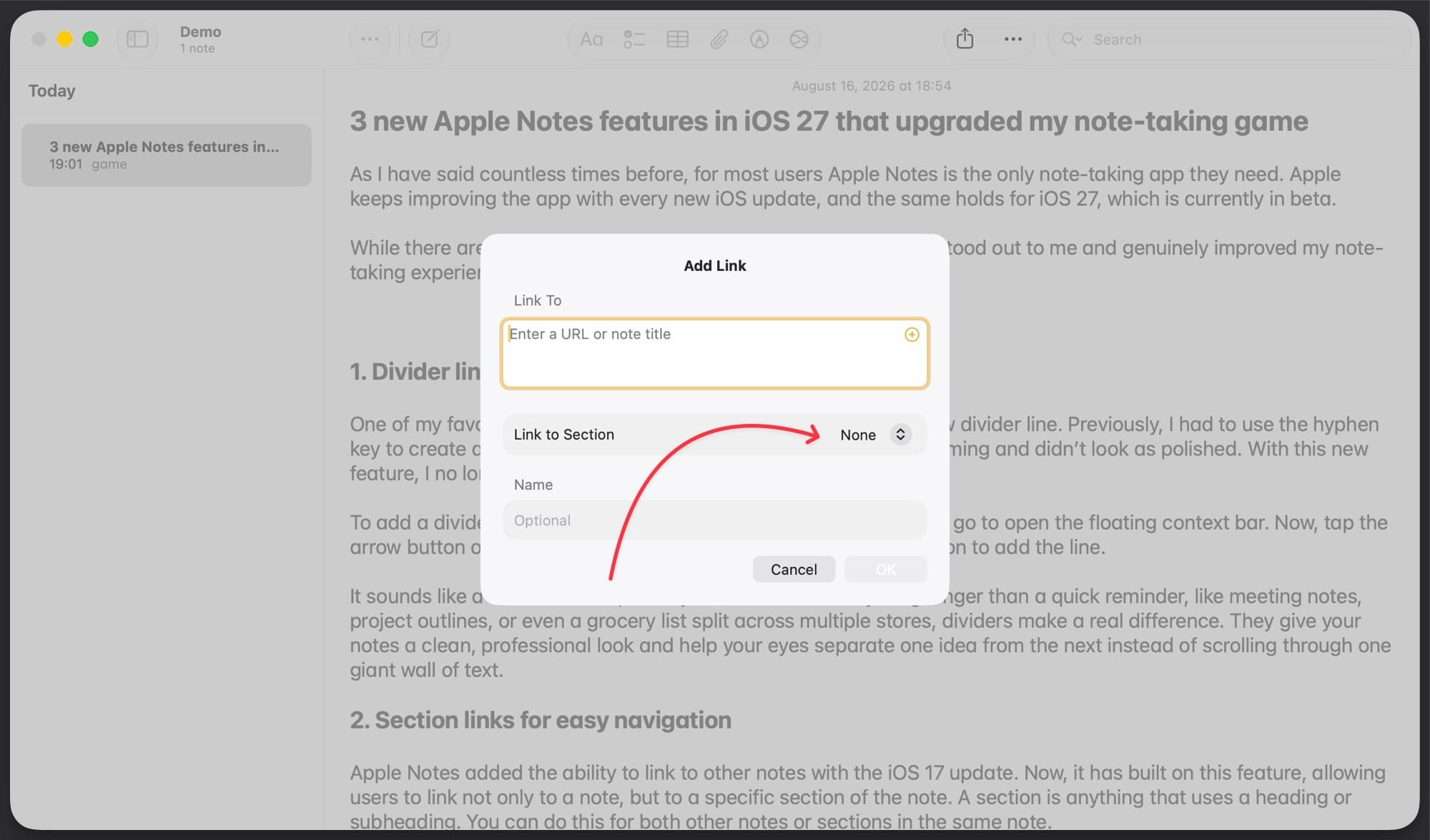
2. It will open the Add Link box. Leave the Link To field empty, as we use it to add links to other notes. Instead, click on the dropdown menu next to Link to Section option.
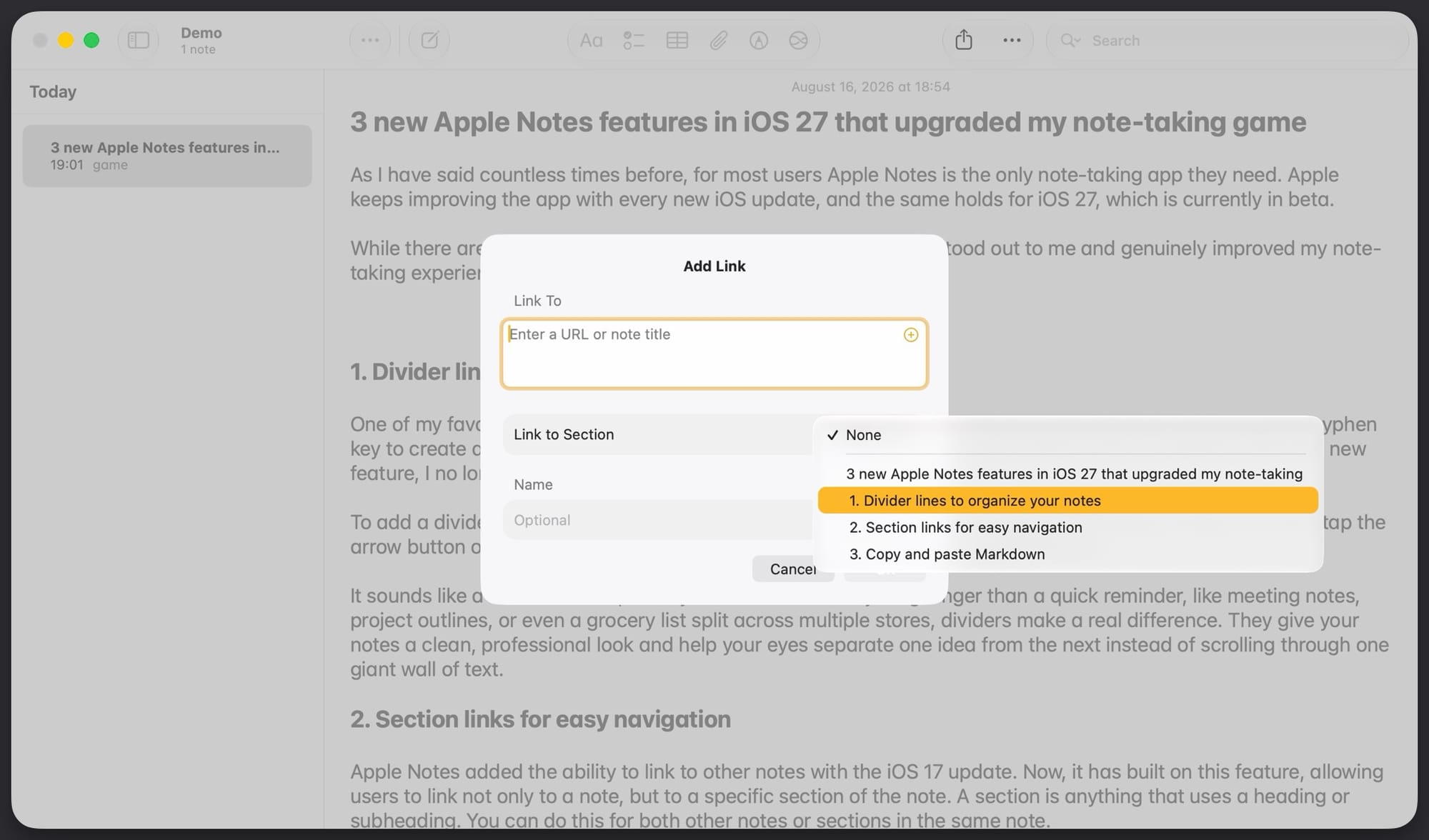
3. Now, select the first subheading. Finally, click the OK button to add it to the note.
4. As you can see in the screenshot, I have added a clickable link to the first heading in the note. Now, we need to repeat the same process for all the subheadings in the notes.
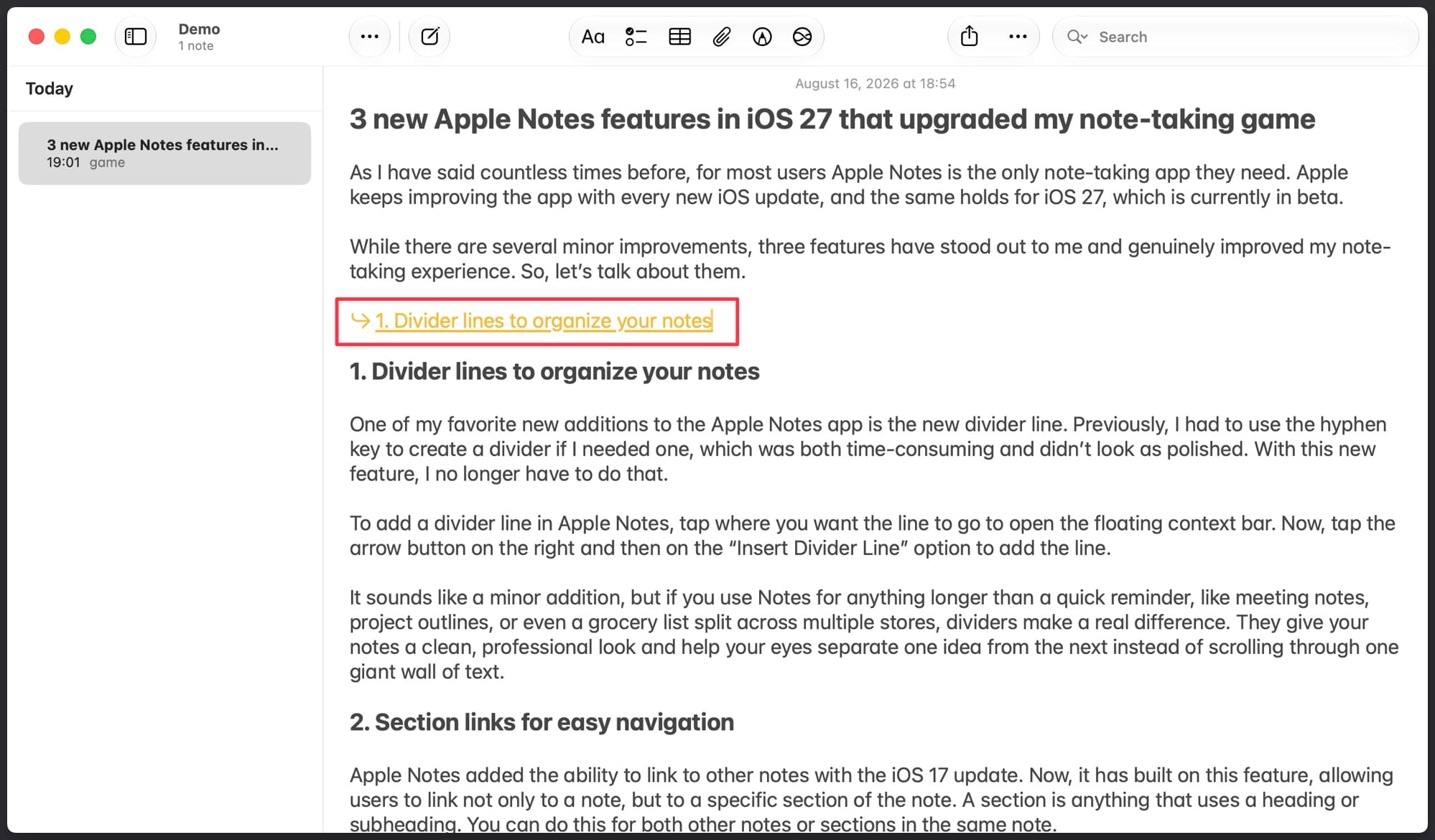
One thing to note here is that by default, the table of contents has the same text as the heading. But you can change that.
6. While creating the link to a section, turn off the toggle for Use Section Title option. Now, you can enter different text in the options field and hit OK to use it.
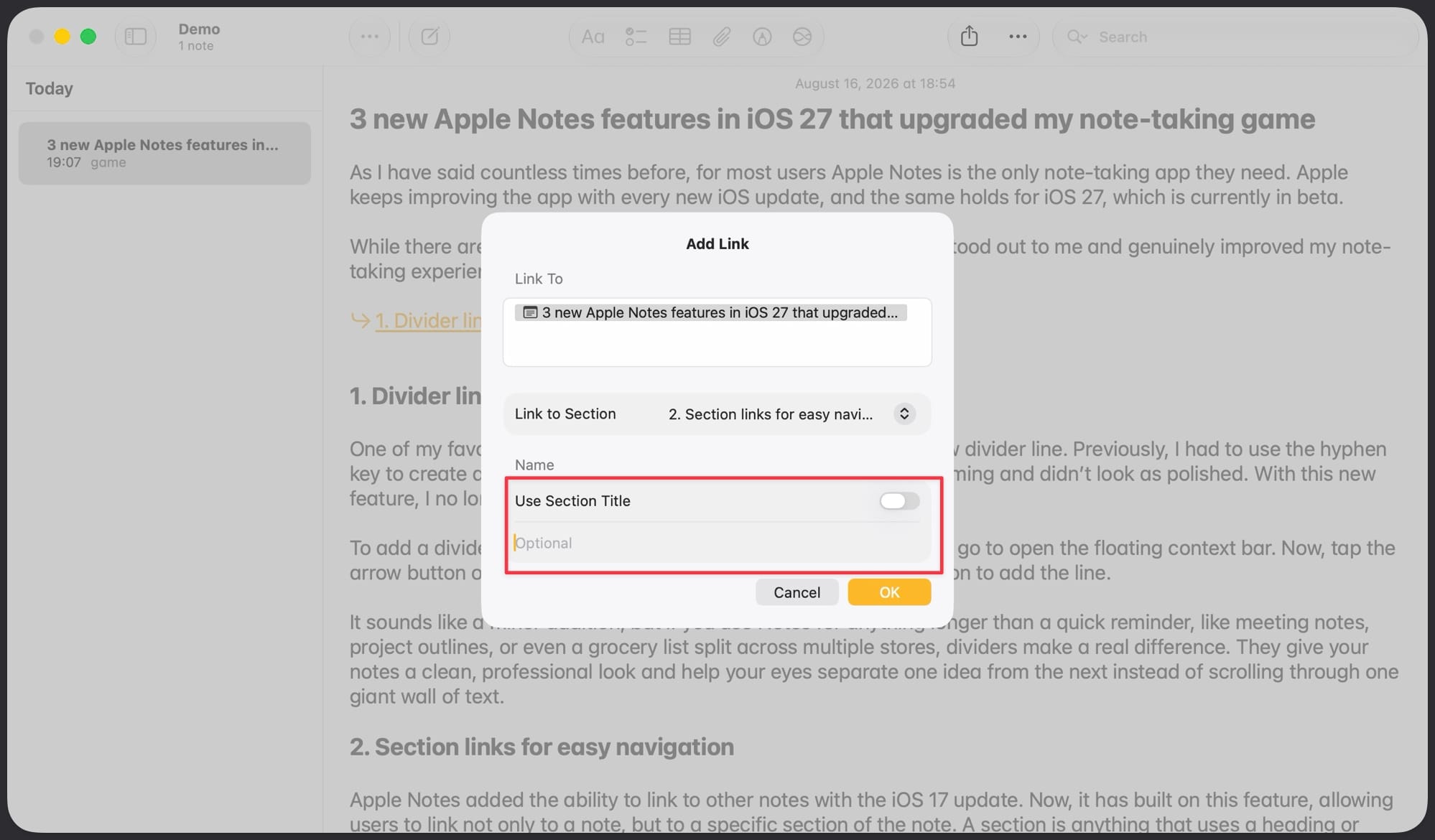
I use the actual section headings for the table of contents, so I don’t use this feature, but I mentioned it since it exists. Here’s a screenshot of my note with the entire table of contents added.
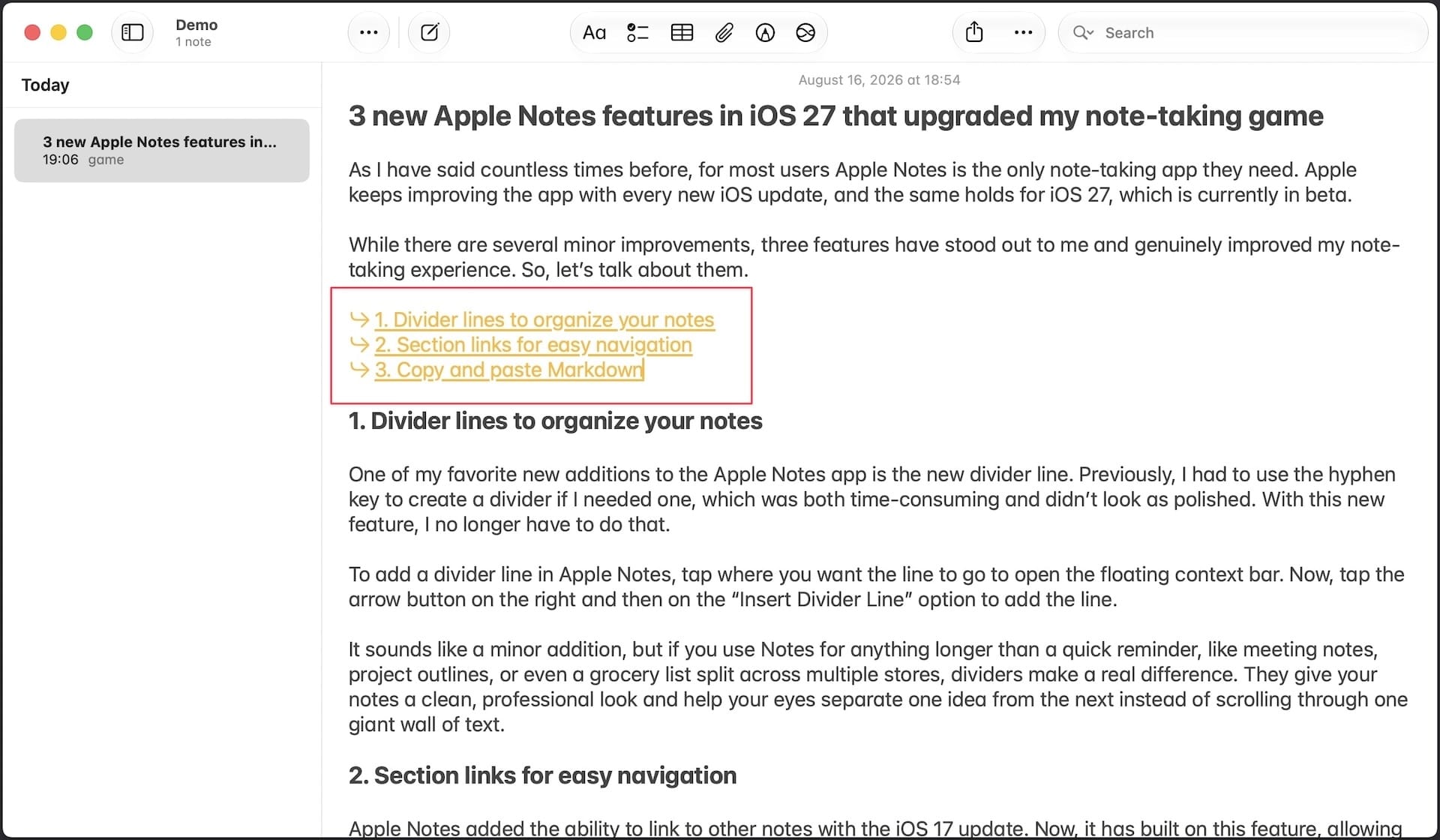
Apple Notes table of contents is finally here
So that is how you can create a table of contents inside Apple Notes. I love this feature, as it makes traversing long notes so much easier than before. What are your favorite new Apple Notes features? Let us know in the comments below.