How to Unlock Apple Watch with iPhone
Stop typing that Apple Watch passcode. Your iPhone has got you covered.
Every time you take your Apple Watch off to charge and put it back on, you have to enter a passcode to unlock it. MacBooks have Touch ID, iPhones have Face ID, but your humble Apple Watch has no such feature. So, entering the password is your only recourse, or is it?
Most people know that they can unlock their MacBook with their Apple Watch. However, not many people realize that they can also unlock their Apple Watch with their iPhone.
Once you enable this feature, you will never have to enter your Apple Watch passcode ever again.
Use your iPhone to unlock your Apple Watch
The setup is pretty simple. Just follow the steps, and you will be done in seconds.
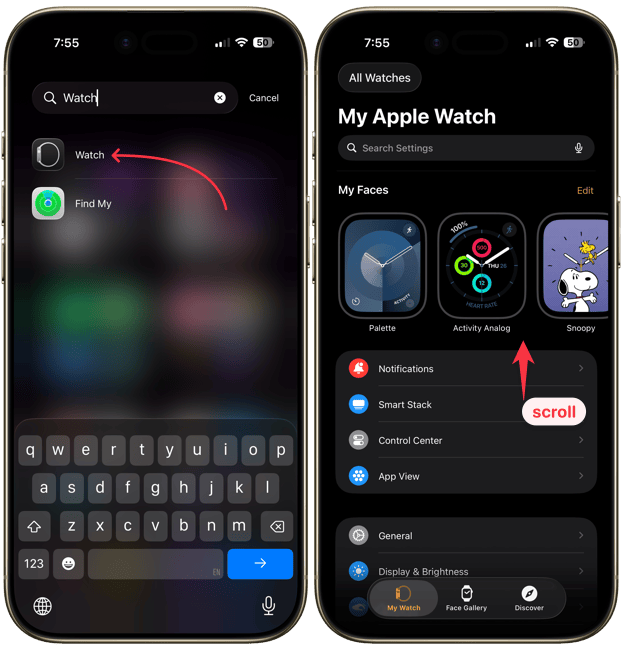
1. Launch the Watch app on your iPhone and scroll down the My Watch page.
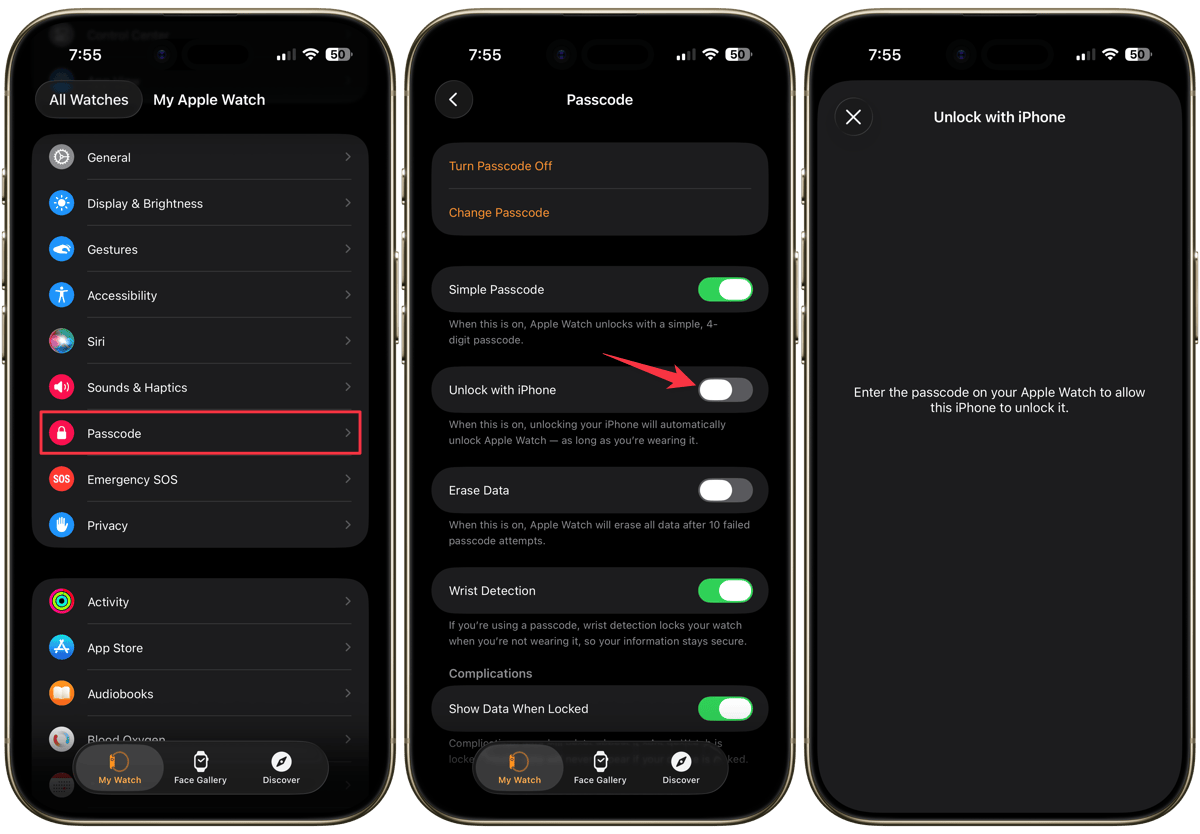
2. Open the Passcode settings and tap to turn of the toggle for Unlock with iPhone.
3. You will be asked to enter your Apple Watch’s passcode on the watch. Enter it to enable this feature.
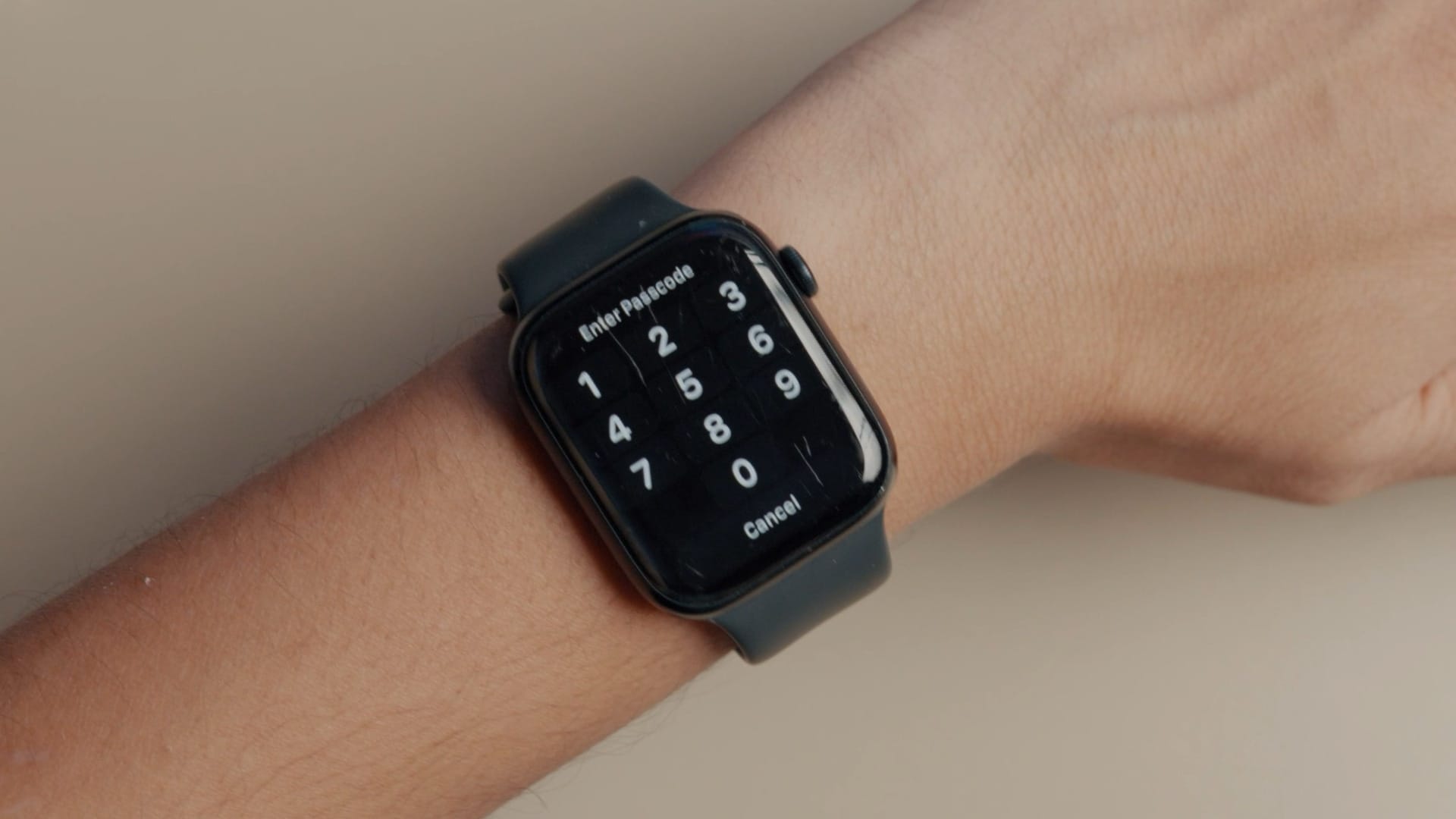
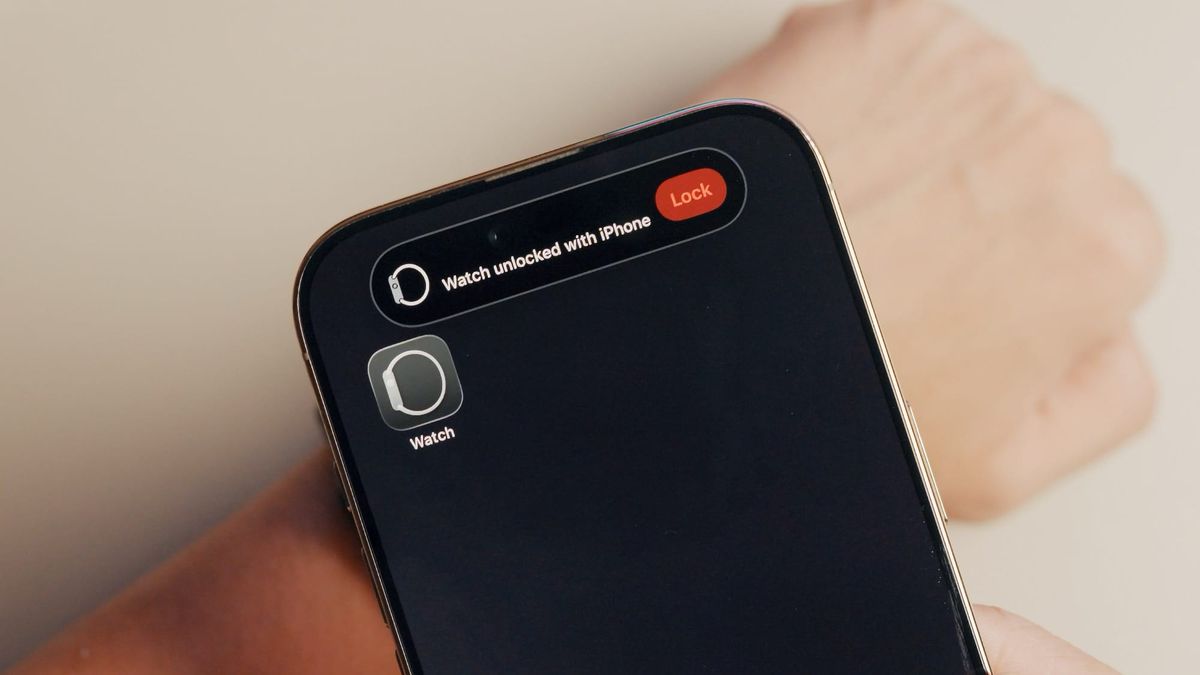
That’s it. Now, you don’t have to worry about unlocking your Apple Watch again. When it’s locked and on your wrist, it will automatically unlock when you unlock your iPhone.
Never enter your Apple Watch password ever again!
I love this feature as I don’t have to worry about unlocking my Apple Watch. Whether I pick up my iPhone after a minute or an hour, it doesn’t matter. As soon as I unlock my iPhone, it will also unlock my Apple Watch.
Apple also allows you to unlock your iPhone using your Apple Watch. It helps in situations where you are wearing a mask, and the Face ID cannot identify you. I love these little continuity features within the Apple ecosystem.
They work seamlessly to improve our user experience and are one of the reasons I don’t mind paying the Apple Tax or living in a closed ecosystem.