Skylum Luminar Neo Got Smarter and Better
Explore what’s new in Luminar Neo—AI Assistant, Light Depth, old photo restoration, and cross-device editing for smarter photo editing.
Skylum’s Luminar Neo is one of the best photo editing apps for Mac and iPhone. What I love most about the Luminar Neo is that it can be as simple or complex as you want it to be.
It provides access to AI-powered tools that make editing accessible to beginners while also retaining all the professional-level editing tools required to achieve the best results.
Over the past year, Skylum has introduced several new features to Luminar Neo, transforming it into a powerful photo-editing platform. In this guide, I will focus on four new editing features that make Luminar Neo a worthwhile purchase.
Best new Luminar Neo features
In 2025, Luminar Neo released several new exciting features. Here are my favorite features that earn Luminar Neo a permanent place in my photo editing toolkit.
Light Depth
Skylum has released a new Light Depth tool that’s nothing short of magical. It creates a depth mask of the photo and lets you adjust the lighting based on it. You can add natural depth lighting to flat or evenly lit photos.
In the screenshots below, you can see how Luminar creates a depth mask of the photo. As I move the mask, you can see how it identifies different objects in the photos and relights them.
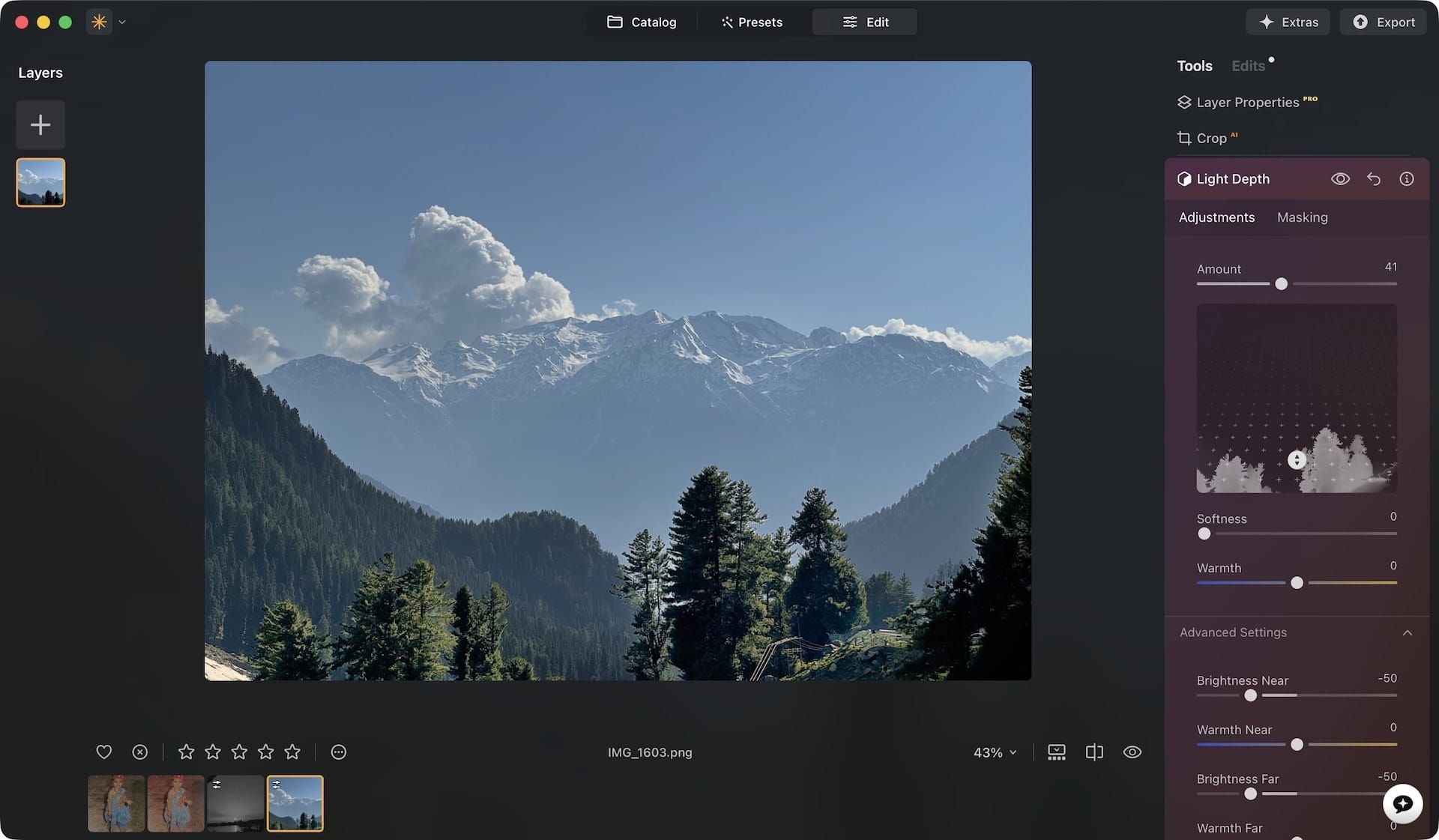
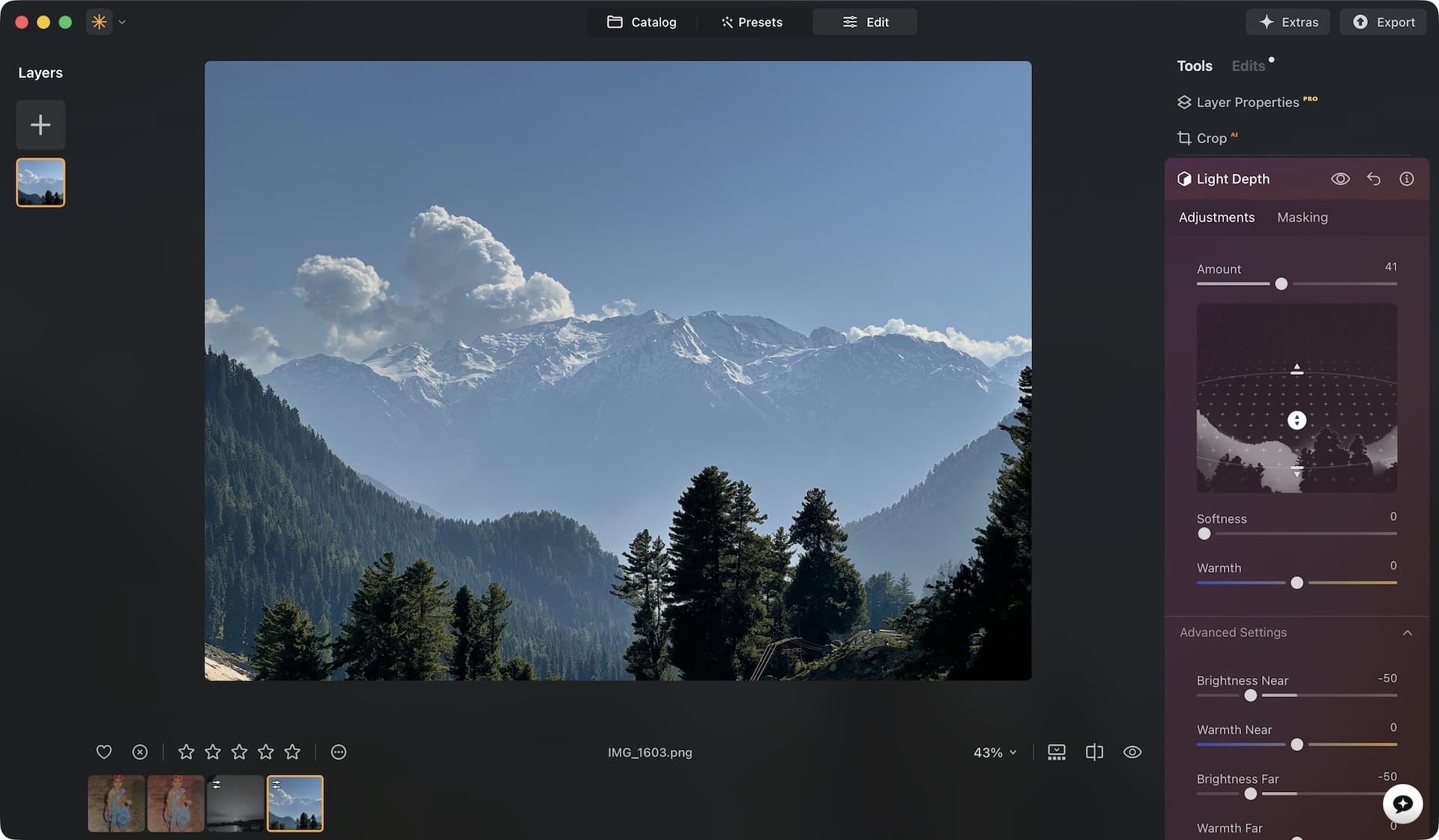
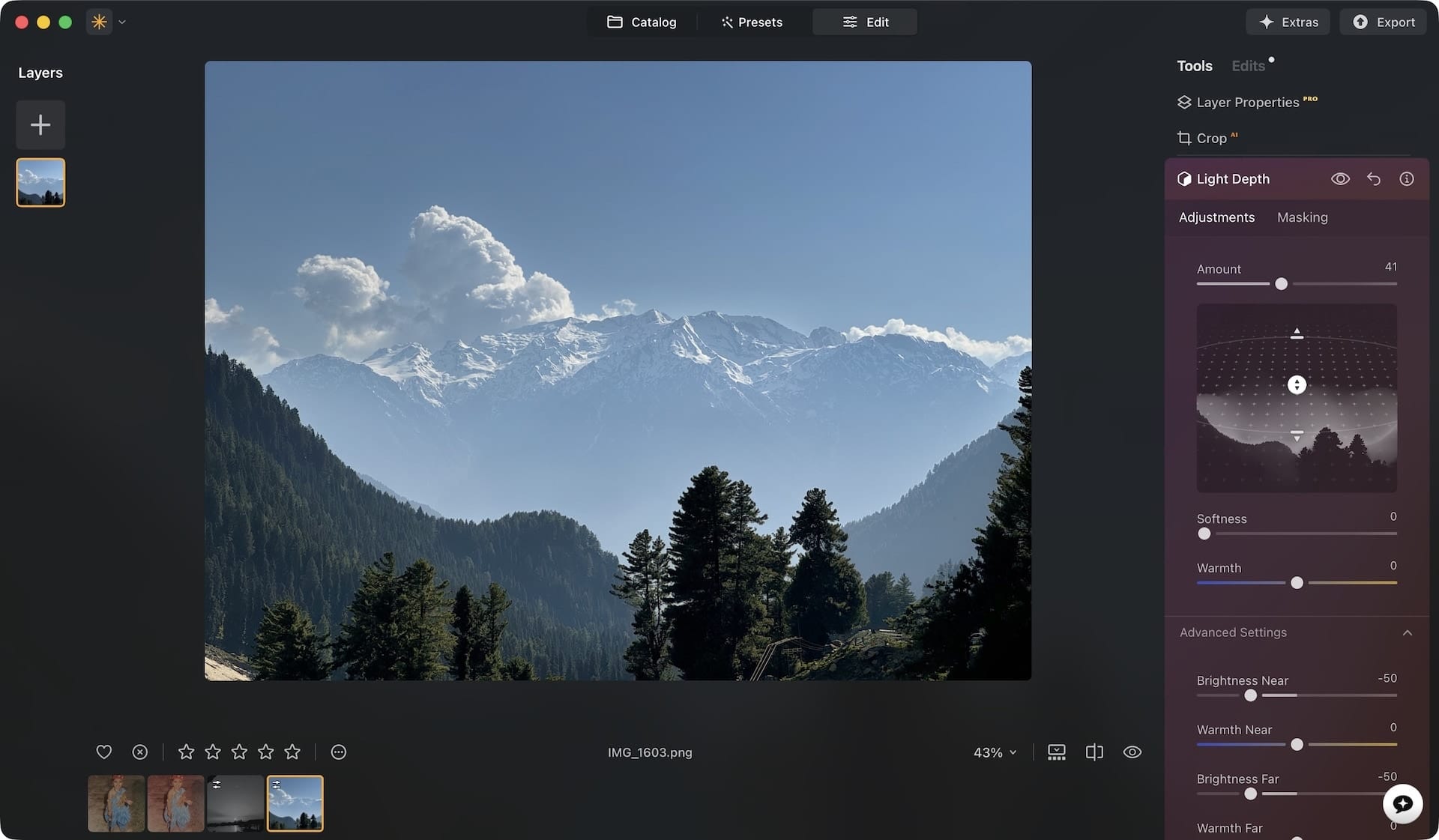
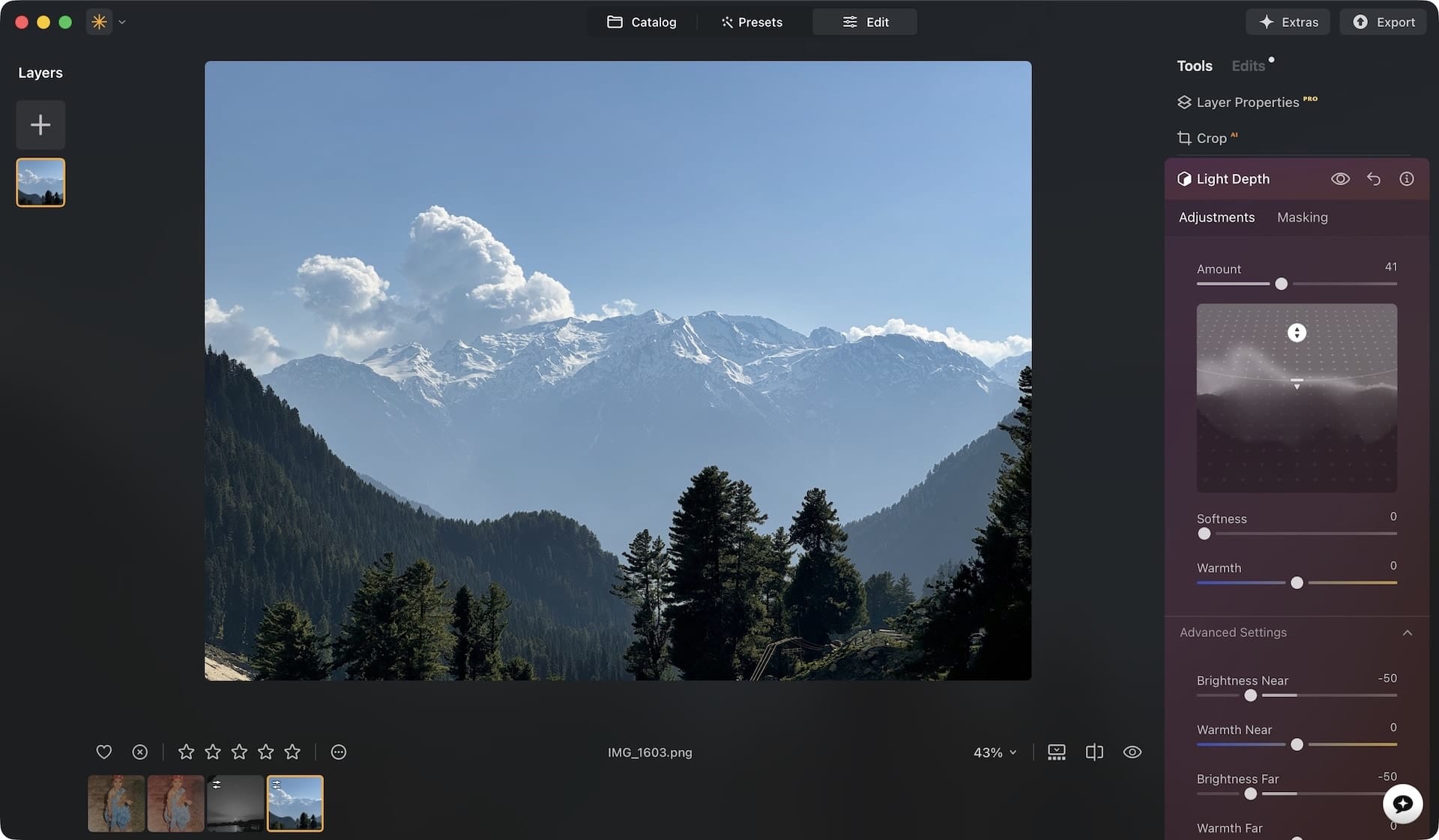
You can adjust the amount of light, its color temperature, and softness. Using the Advanced Settings panel, you get even finer control over the lighting.
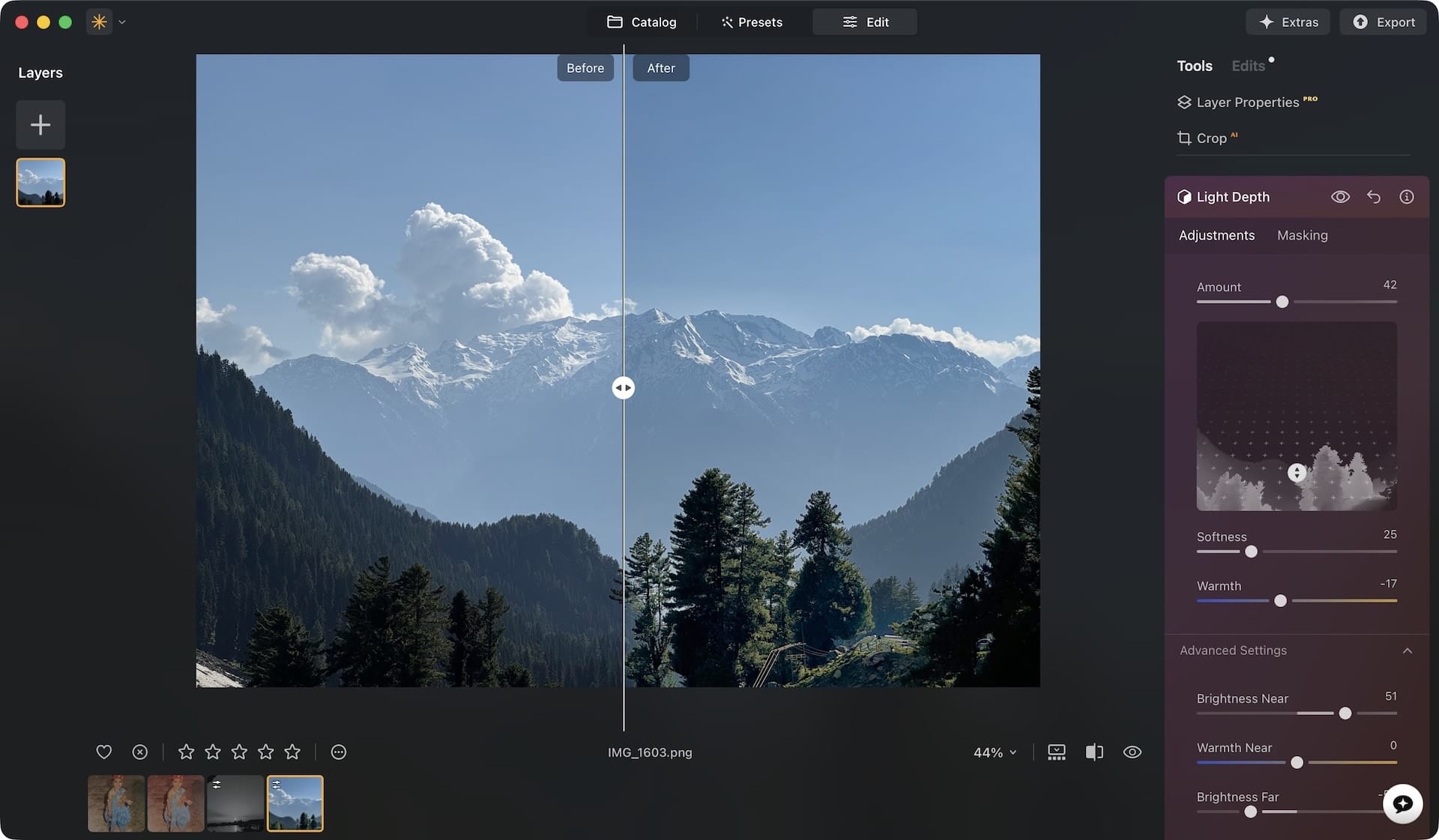
In my photo, the trees are dark and losing details. I can use the Light Depth feature to adjust the lighting and make them stand out. Here’s the before and after of the image, and it took me almost no time to edit it.
Old photo restoration
We all have old printed photos that hold a special place in our hearts. My childhood photos with my parents are some of my most cherished memories. With time, the old photos start to fade, discolor, and lose detail.
Luminar Neo has a way to preserve them. If you have old photos that are fading with time, you can use Luminar Neo to restore and breathe new life into them.
Import the photos in Luminar Neo and open the Restoration tab. Drag and drop the photo into it and wait for a few seconds. It can take anywhere between 5 and 30 seconds to restore a photo, depending on its quality.
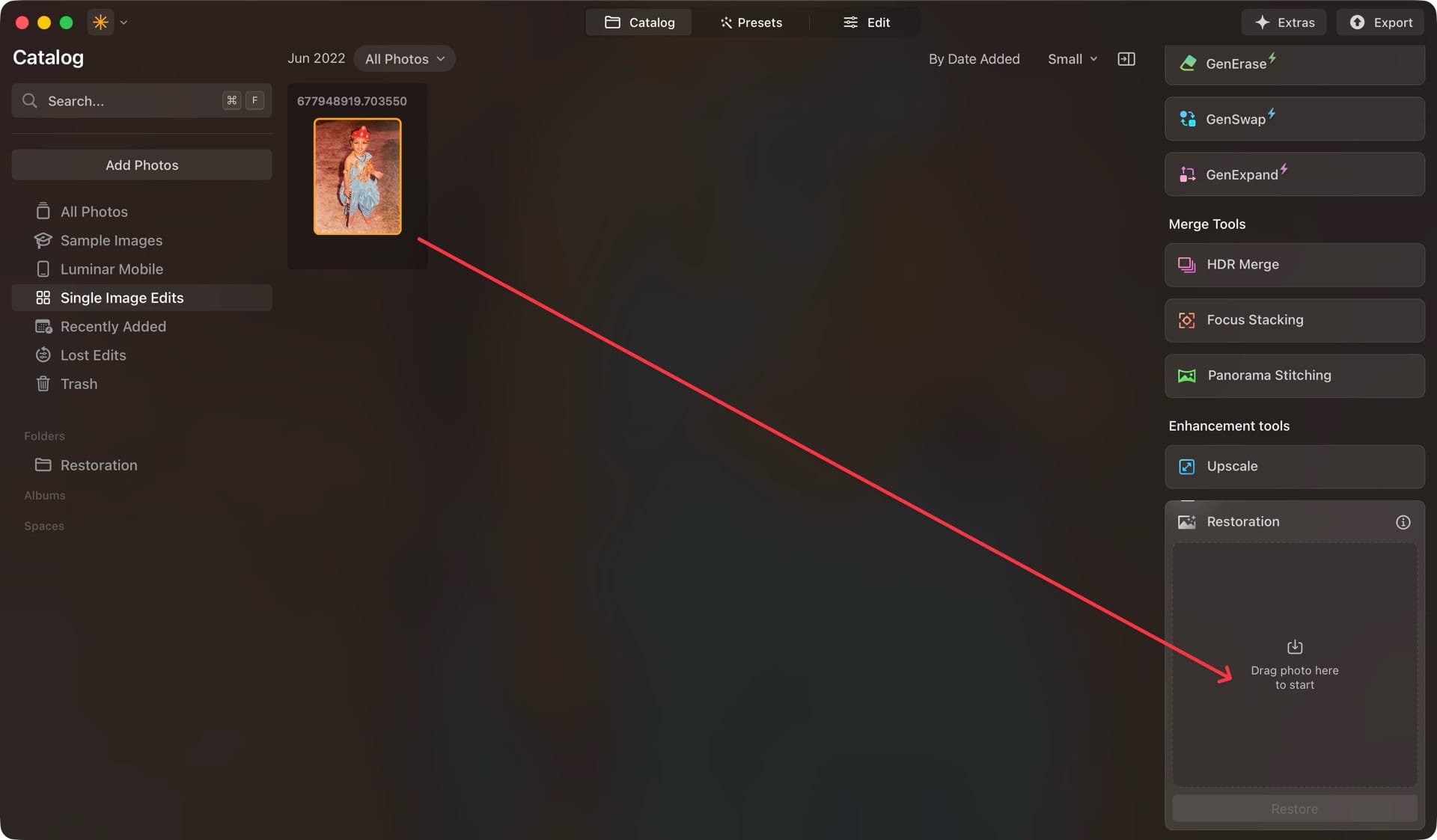
You get three options. You can choose the Full restoration, which removes any scratches and damage and recolors the photo to be true to life. You can only recolor the image or remove the scratches and damages if you want to retain the original color.
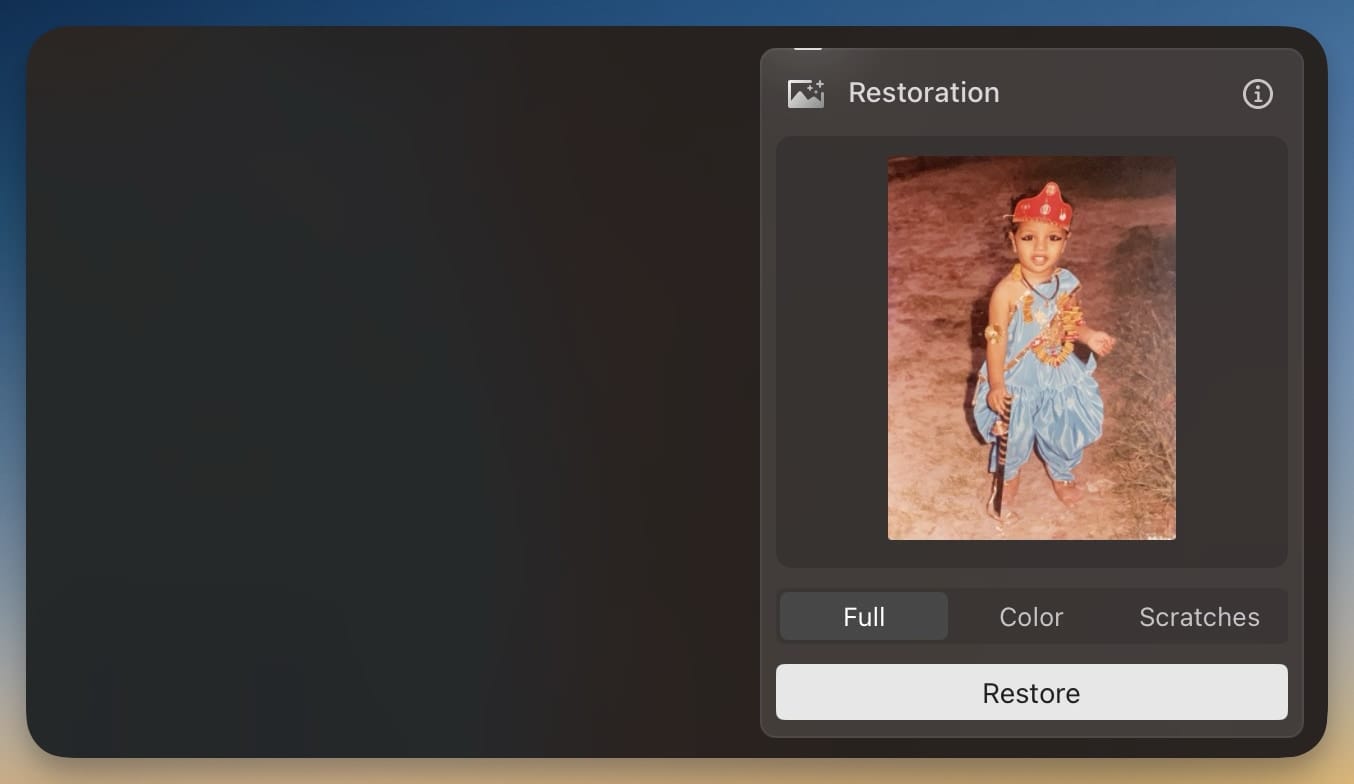
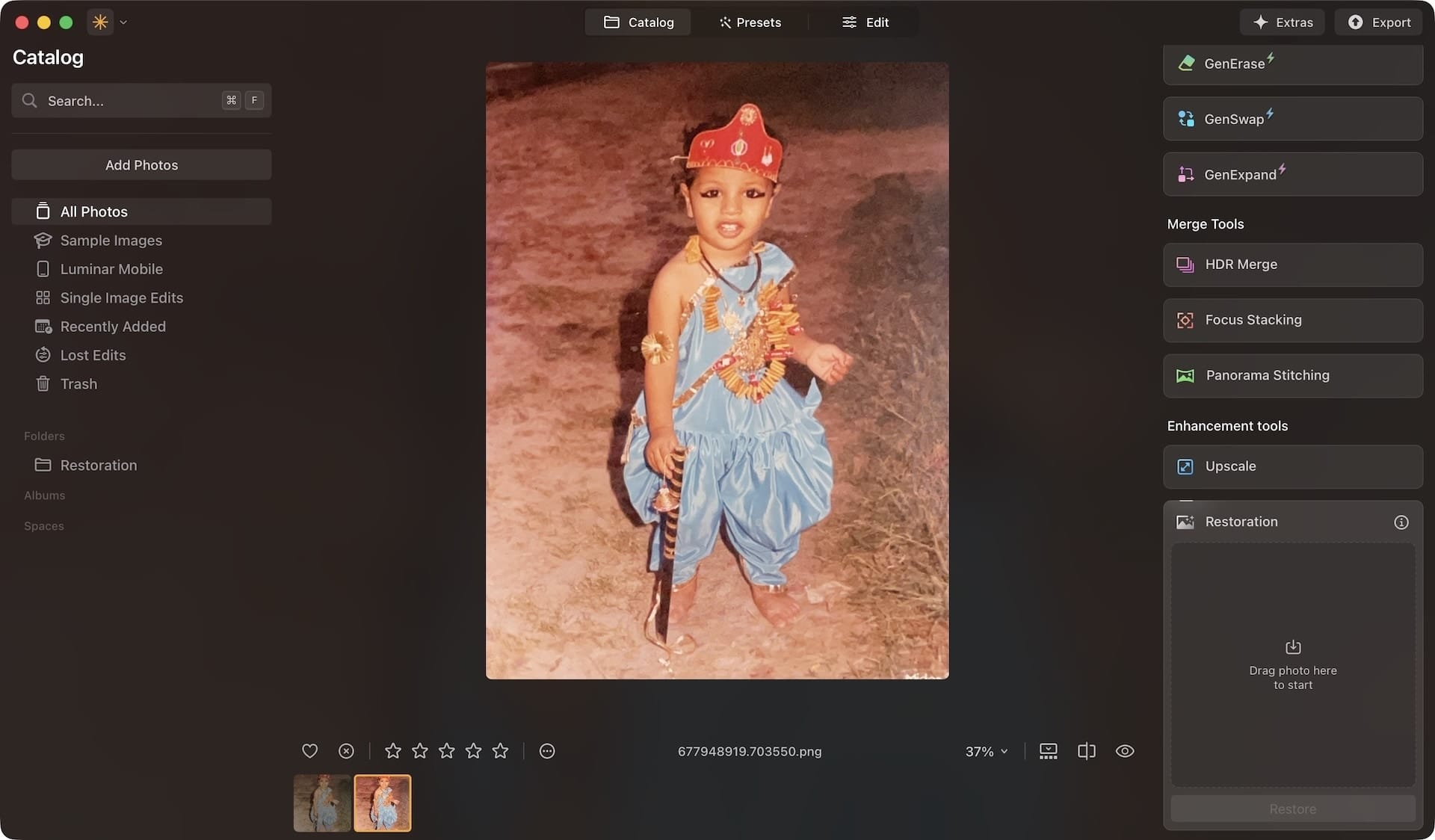
I like that Luminar Neo doesn’t destroy the original photo. It keeps the original intact and saves the newly restored photo in a new folder. In my testing, this tool works exceptionally well.
If nothing else worked on Luminar Neo, I would pay for this app just for this feature. Here’s the restored photo. Look at it and tell me that it’s not magical.
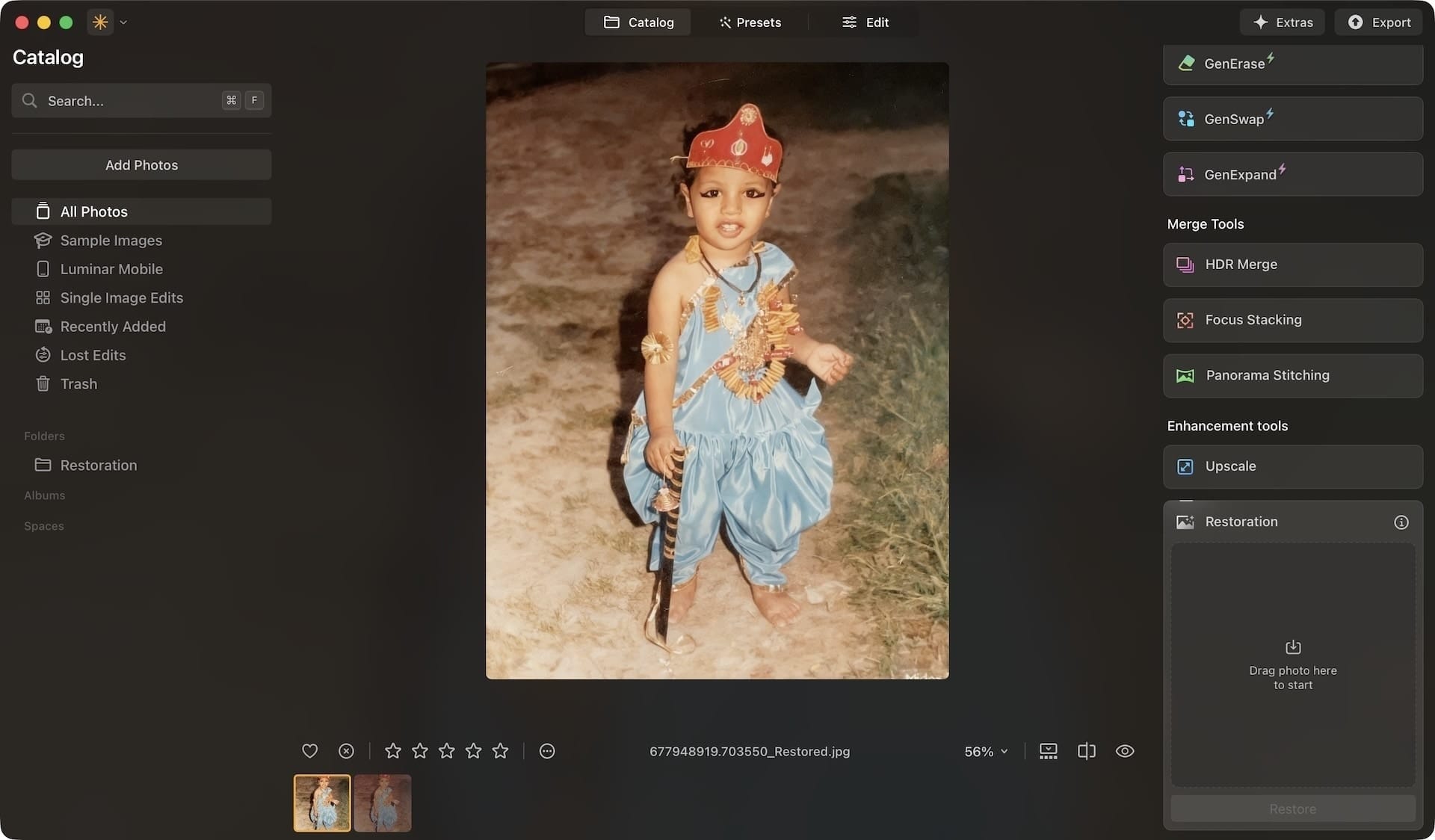
For some reason, if you are not happy with the results, you can rerun the restoration process multiple times to get different results and chose your favorite.
AI Assistant
If you are not a professional editor, you might not know where to start when editing a photo. Luminar Neo has added an AI Assistant tool that helps you overcome this difficulty.
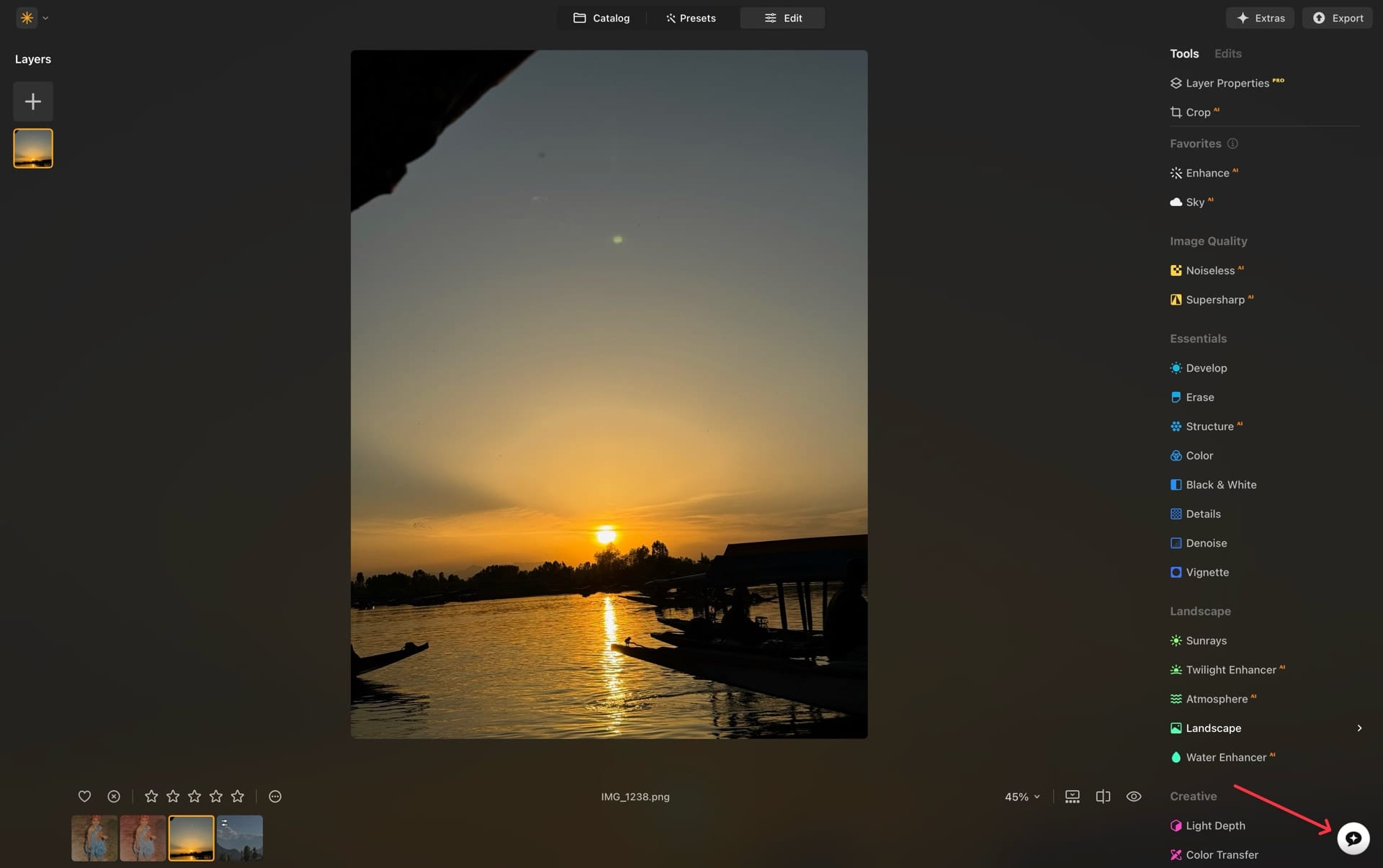
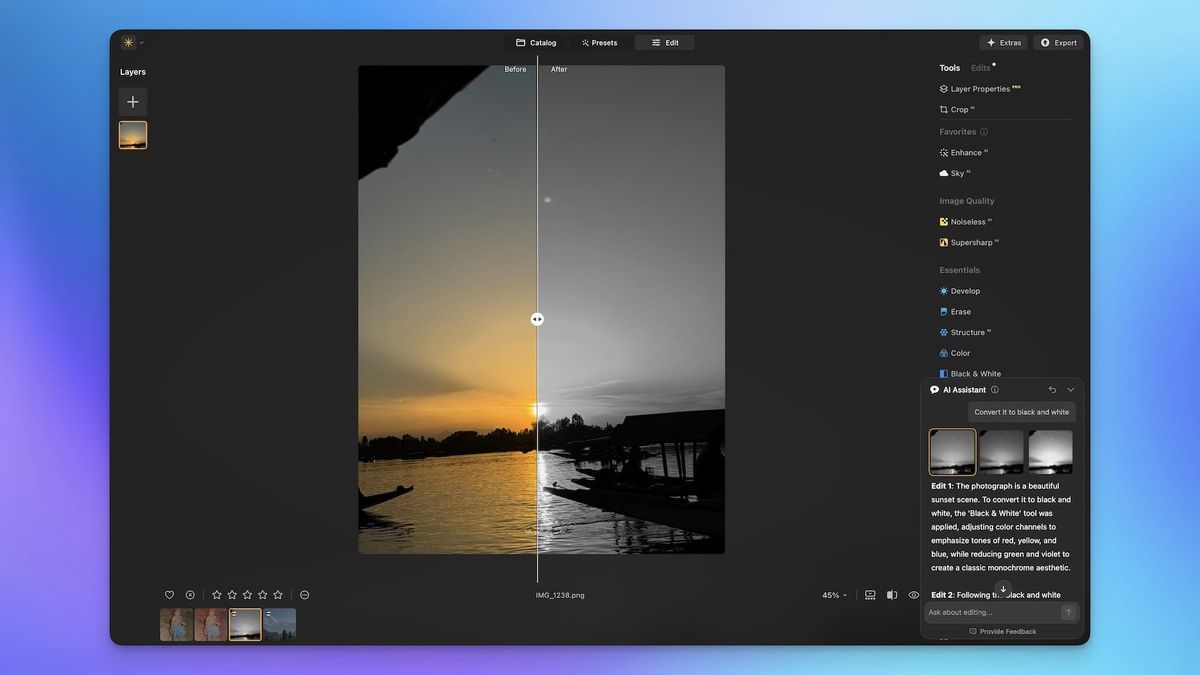
There are two types of commands you can use. You can directly ask the AI assistant to apply edits to the photo or ask for suggestions.
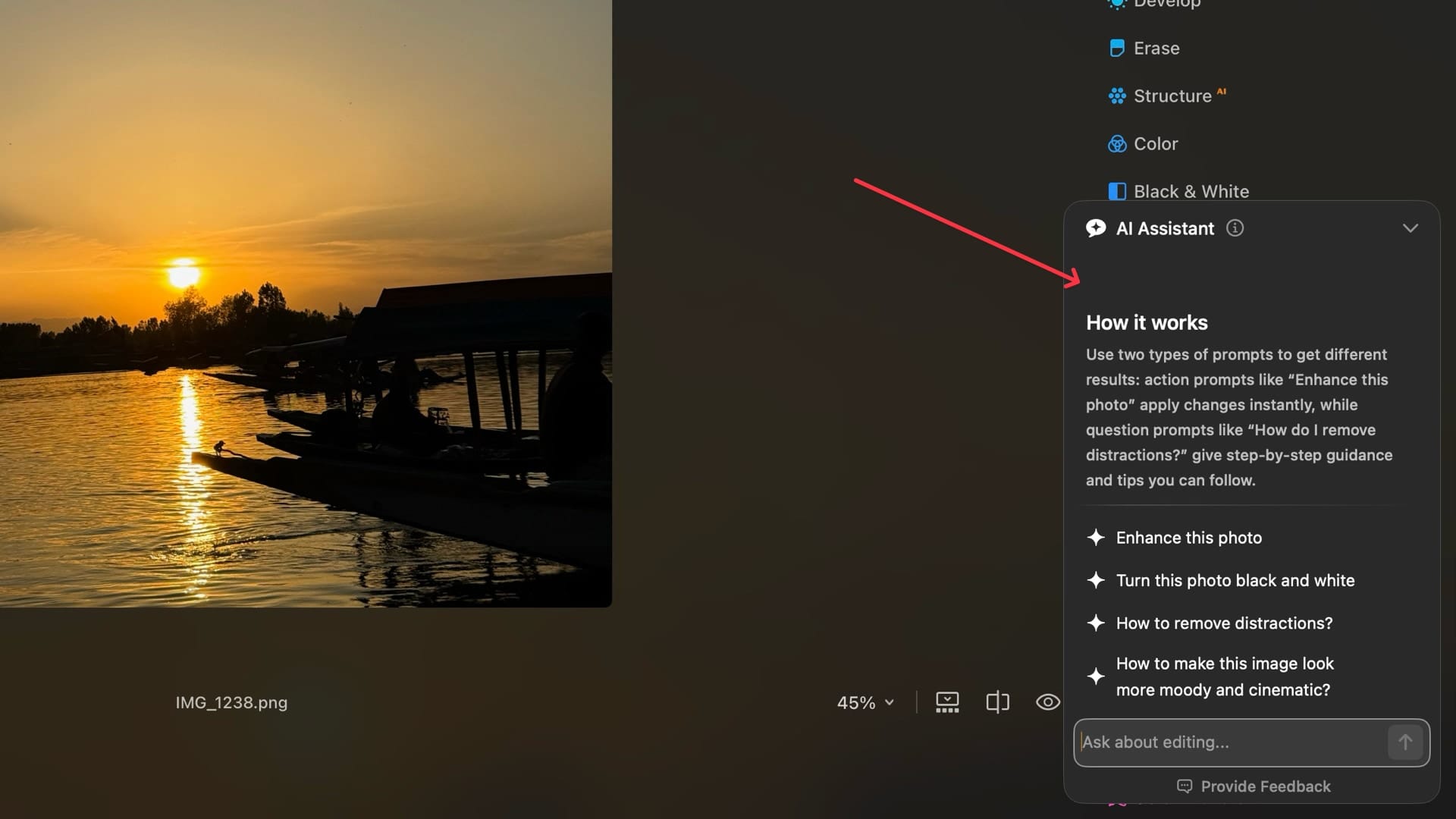
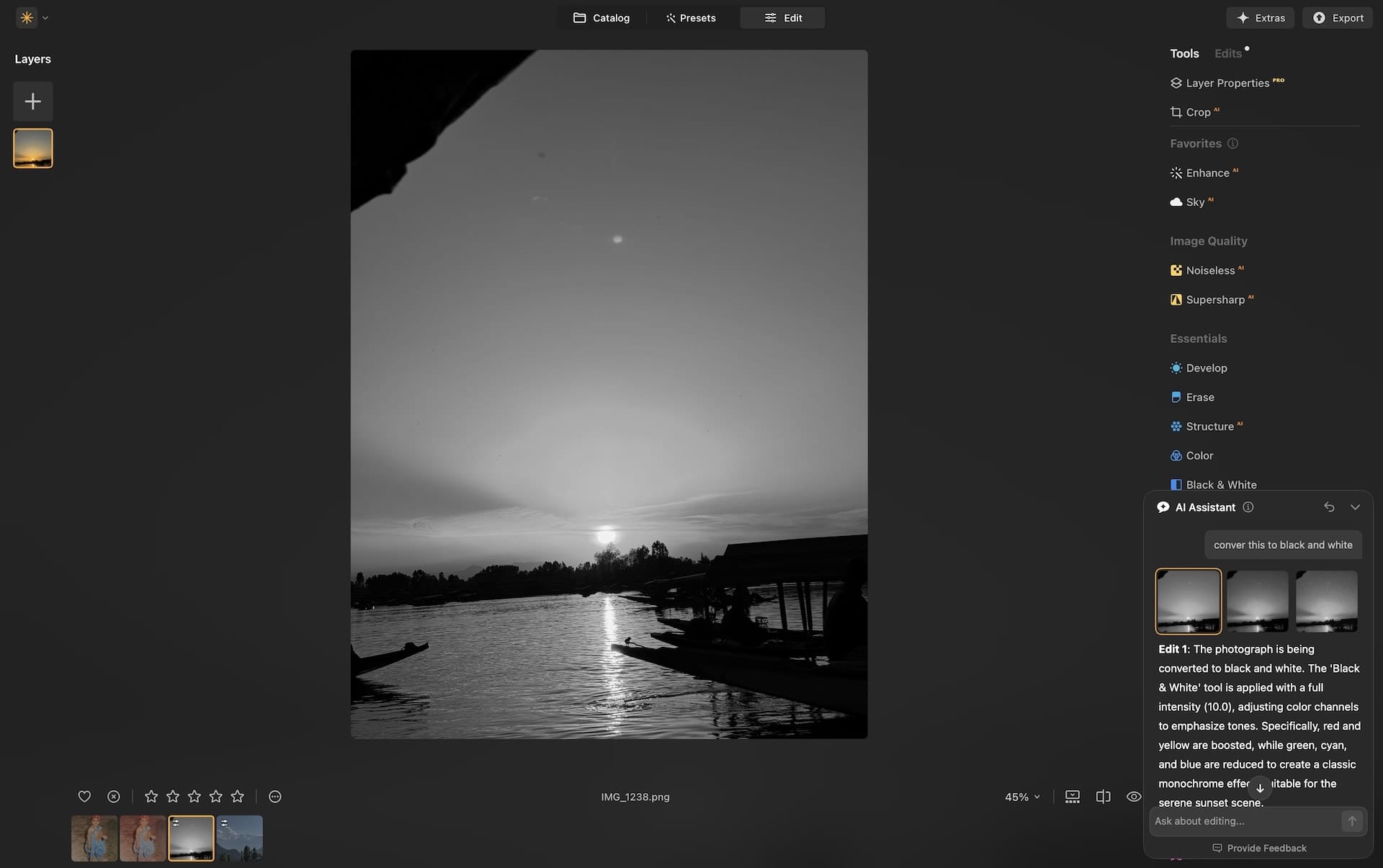
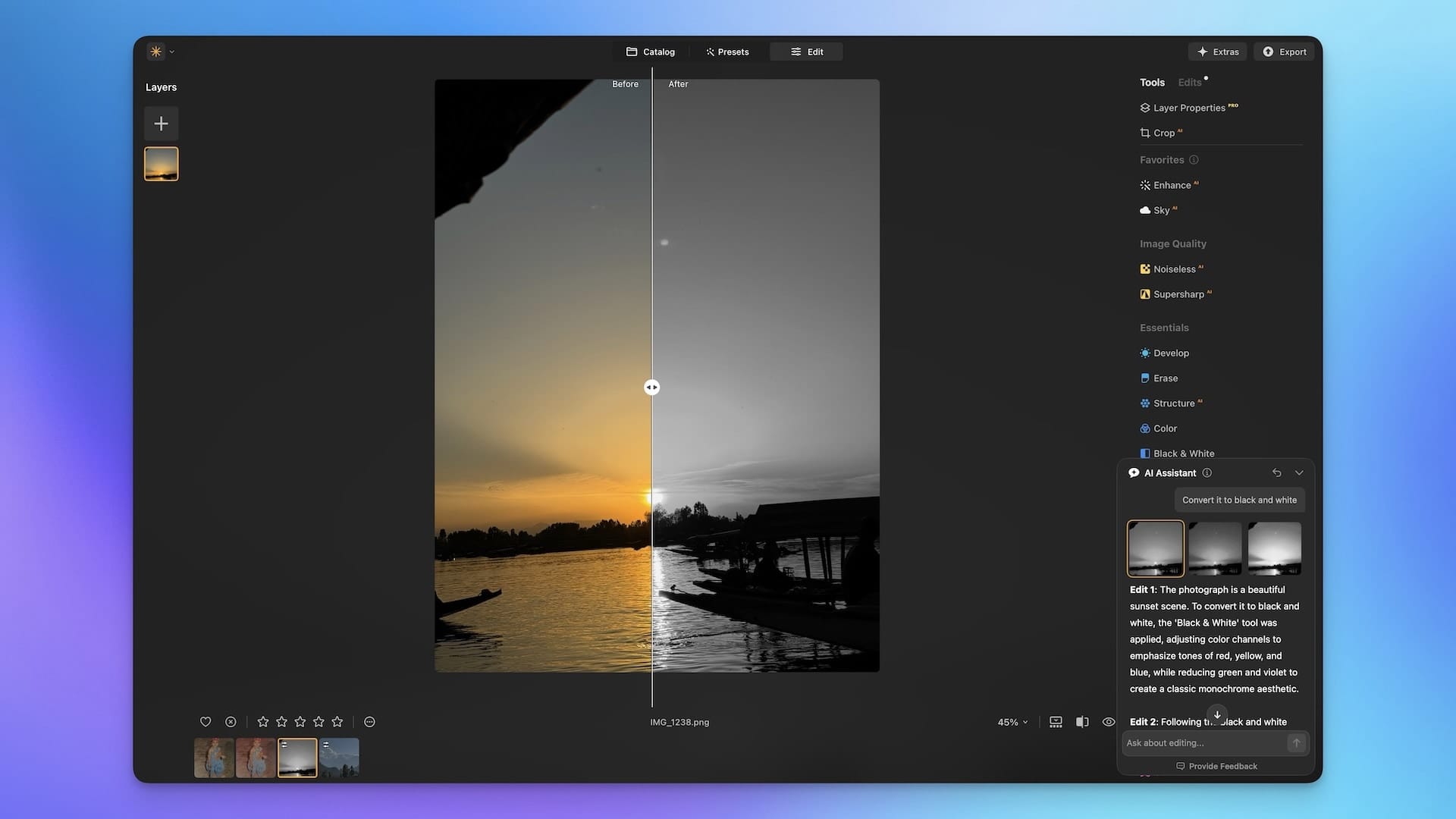
For example, here I asked the AI to convert the image into black and white, and it did it.It gave me three options, and I can apply whatever change I want. I like that Luminar explains all the edits it has made to the photo. I can review the edits and make any necessary adjustments.
If I want finer control, I can simply ask for specific steps and editing suggestions to enhance the photo. In this case, I provided Luminar with instructions on the edits I wanted to make, and it generated a set of steps for me to follow.
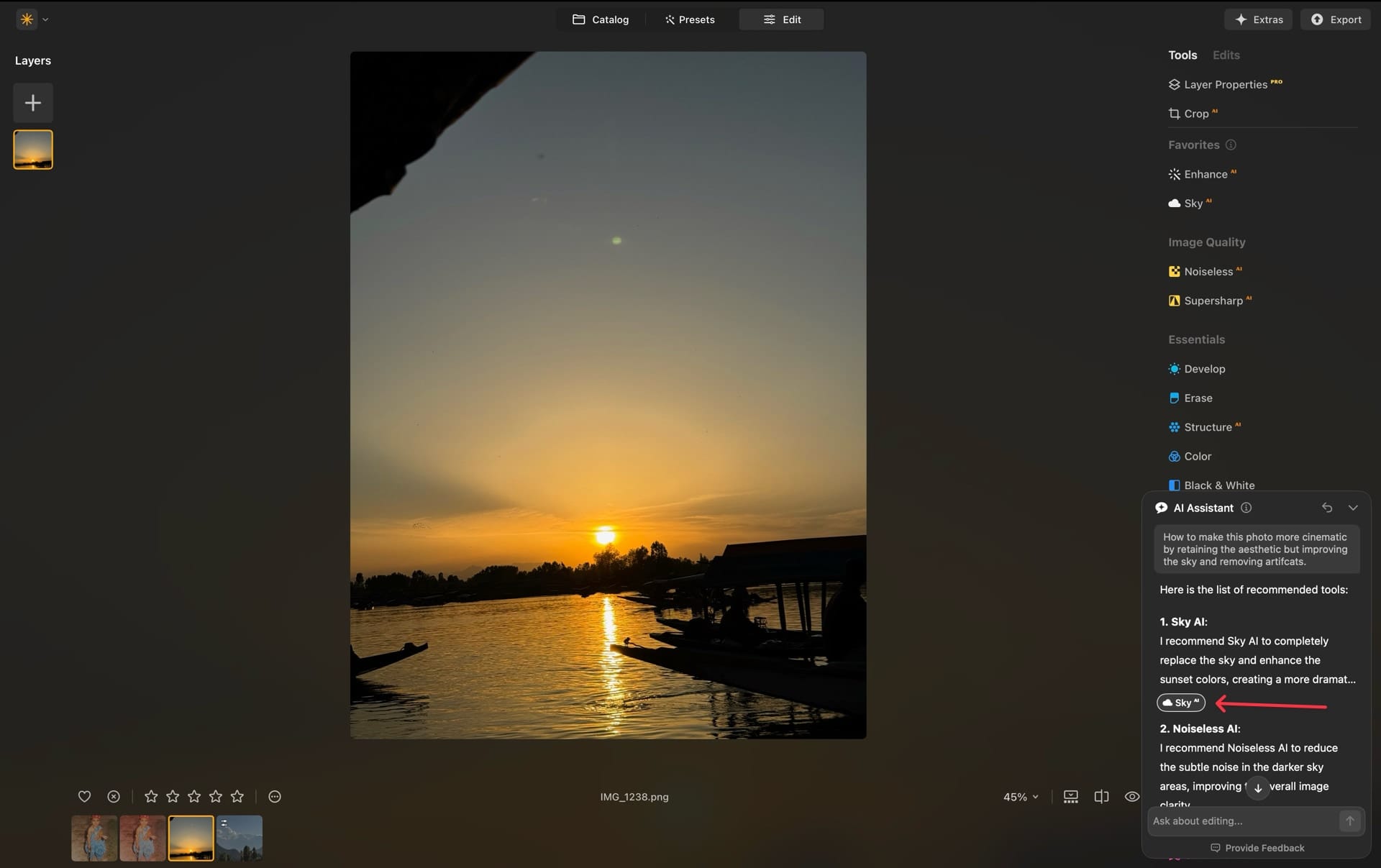
I appreciate that Luminar provides direct links to the tools it recommends for making edits, saving me time by eliminating the need to search through the app for those options.
The AI assistant is not perfect, and sometimes the edits it applies are not up to the mark. However, I can always revert the changes and use a different prompt. Personally, I don’t ask it to apply the edits but ask for suggestions, and in that space, it performs really well.
Cross-device editing
Luminar Neo also offers a mobile app that allows you to capture and edit photos on the go. You can capture images via its mobile app or upload photos from your iPhone Photos app.
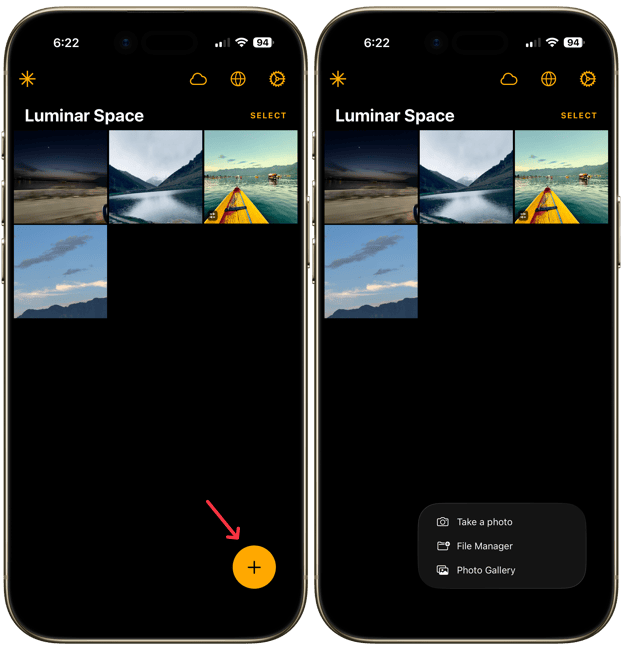
Any edits you make to these photos are now synced to the desktop app, allowing you to continue your edits on your Mac.
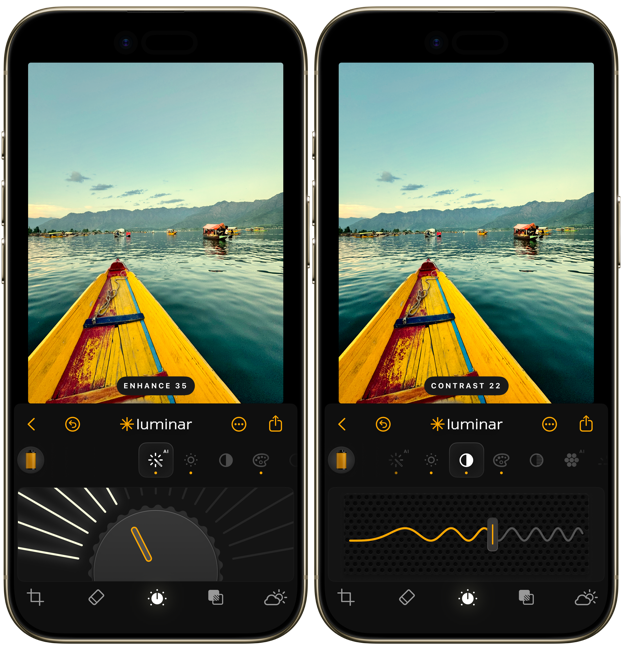
I am not much of a mobile editor and prefer to import all my photos on my Mac. But if you use your iPhone for editing, this is a welcome update. You can use it to start editing on your phone and finish on your desktop.
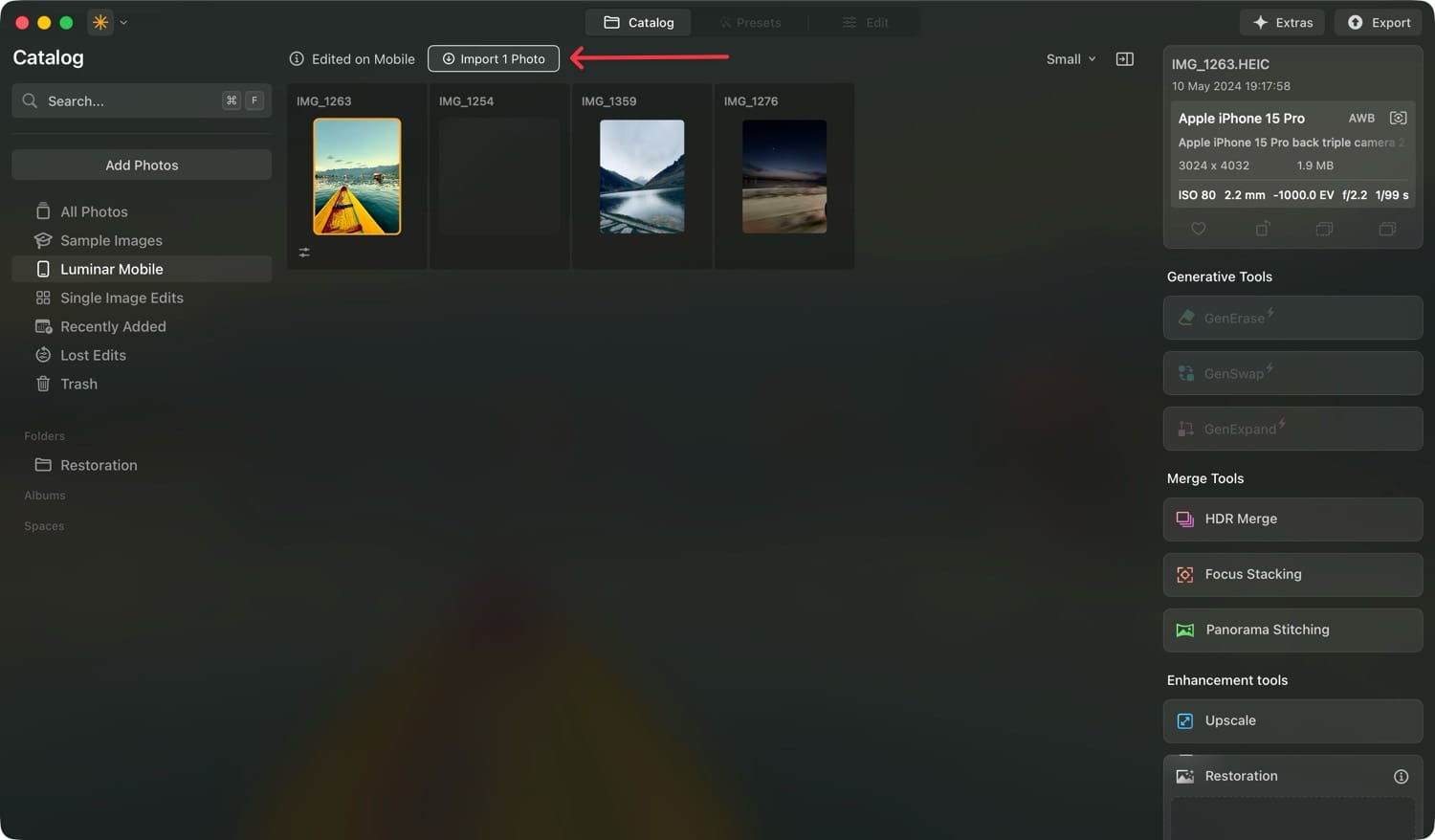
However, note that Luminar Neo only syncs your edits across devices. Once you upload a photo through Luminar Mobile and import it to your desktop, the app does not store the photo in the cloud. It syncs only your edits.
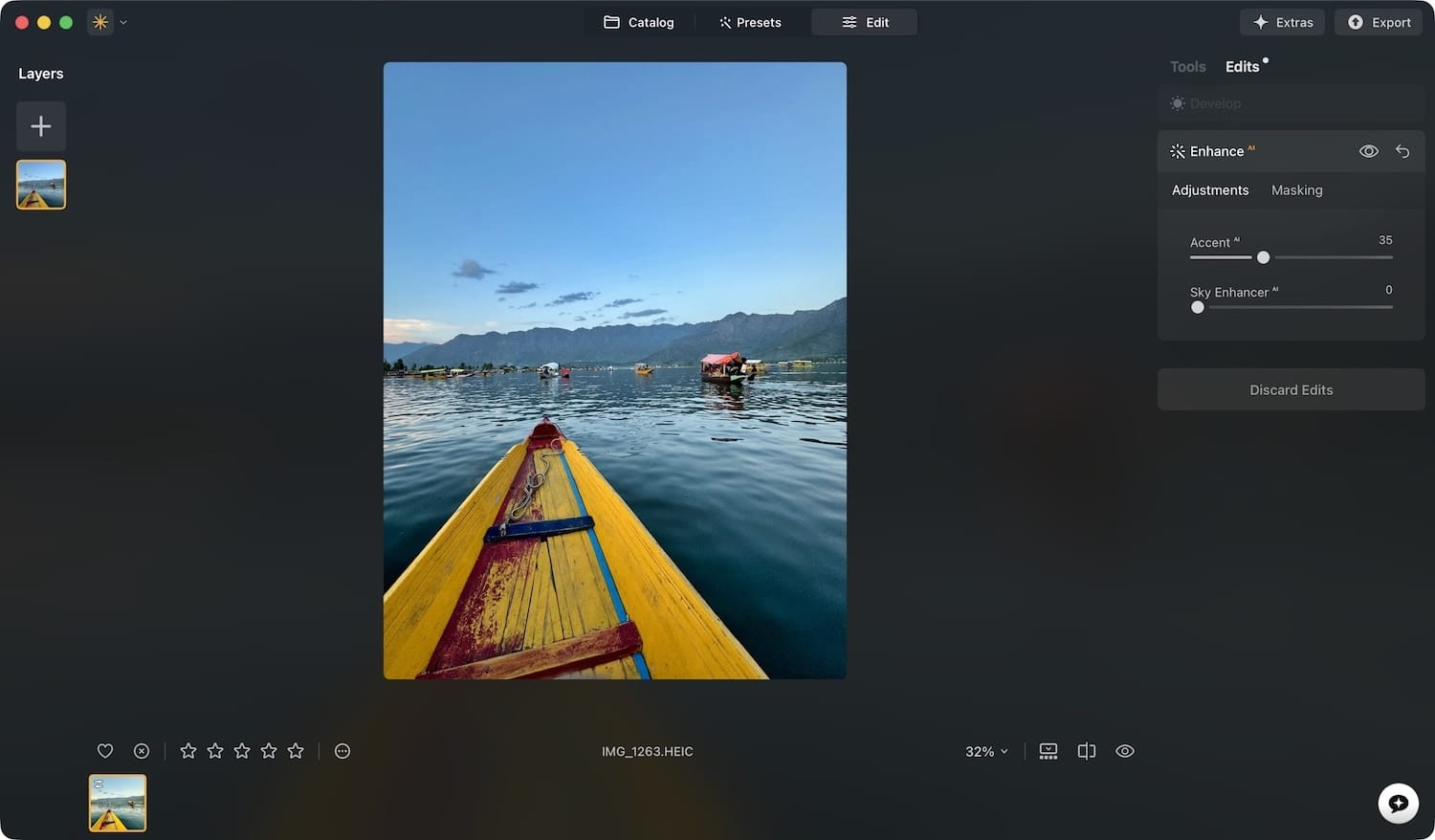
This is understandable as Luminar doesn’t charge a monthly subscription for cloud storage. I hope Luminar introduces a paid tier that includes cloud backup. Until then, this approach is a clever way to enable cross-device syncing without requiring a monthly subscription.
Luminar Neo is celebrating it's 4 year anniversary. Use the link below to grab the app at heavy discounts. Get features like:
- AI assisstant
- Cross-device editing (mobile to desktop)
- Old photo restoration
- Light Depth
With other 24+ AI editing features and 100+ traditional editing tools.
Luminar Neo in 2026: final thoughts
Luminar Neo has released excellent editing features in 2025. Apart from the ones I covered in this article, you also get features like auto-adjustment, Aperty plugin support, Spaces, and more.
If you are impressed by what you read, you can use our link below to upgrade to the latest version or buy a new one. If you have any questions about Luminar Neo, feel free to leave them in the comments, and I’ll respond as soon as possible.